
iCloud+ 2TB Annual Plan: Year-Round Cloud Peace of Mind for Multi-Device Backups and Full-Res Media
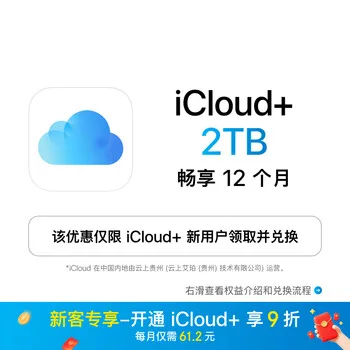
If your iPhone frequently pesters you with "iCloud Storage is Full" notifications, or if migrating to a new phone turns into a stressful chore of deleting high-res photos and trimming chat backups, you have likely outgrown the 5GB complimentary tier and entry-level 50GB options. In an era where 4K 60fps recording is standard and every Live Photo consumes substantial storage, cloud space is no longer just a digital filing drawer—it is the foundational layer ensuring your Apple hardware runs seamlessly. This 2TB Annual Plan delivers a comprehensive, year-round storage reserve engineered for multi-device users, active photographers, and families.
Why 2TB Is Often the Inevitable Sweet Spot
Apple's iCloud+ lineup serves distinct tiers: 50GB handles single-phone baseline backups, while 200GB accommodates light dual-device setups. However, modern workflows quickly saturate smaller allotments:
- Optimize iPhone Storage: Your high-resolution master copies and Dolby Vision recordings upload straight to iCloud, while your device retains lightweight, space-efficient previews. You reclaim valuable local NAND flash without sacrificing instant access to full-detail files.
- Desktop & Documents Sync: Sync your Mac's active working folders to iCloud Drive. Start a presentation or project at your desk, head out the door, and pull up the identical file on your iPad or iPhone from anywhere.
- Automated Nightly Backups: Connect your devices to power and Wi-Fi before sleep, and your system quietly performs incremental backups. Upgrading to a new device is as friction-free as placing the old and new hardware side by side and scanning the setup code.
Stepping up to 2TB removes the monthly chore of manually pruning media libraries, giving you a full year of uninterrupted storage head space.
Family Sharing: Pooled Capacity with Absolute Privacy
One of the most practical applications of the 2TB plan is Family Sharing. You can invite up to five additional family members into your storage pool without purchasing individual memberships for each person:
- Pooled Allocation, Zero Waste: All members draw from the combined 2TB capacity automatically, preventing awkward imbalances where one person fills their 50GB while another leaves theirs untouched.
- Strict Privacy Boundaries: Apple's security architecture keeps personal data completely isolated. Family members cannot view each other's photos, messages, files, or browsing records. You share the storage volume, not your personal data.
- Shared Photo Libraries & Albums: Easily curate shared trip albums or collaborative photo sets, while private personal snapshots stay firmly inside individual libraries.
Premium Privacy Utilities and Smart Home Integration
Beyond raw gigabytes, an iCloud+ subscription brings systemic privacy protections that elevate day-to-day internet usage:
- iCloud Private Relay: Dual-hop encrypted routing inside Safari shields your browsing traffic, preventing websites and internet service providers from compiling detailed behavioral profiles tied to your IP address.
- Hide My Email: Generate unique, randomized @icloud.com aliases on demand when completing online sign-ups or submitting web forms. Inbound messages forward automatically to your primary inbox, and you can deactivate specific aliases anytime spam starts arriving.
- Custom Email Domain: Personalize your iCloud Mail address with your own domain name for a professional or family-wide branded touch.
- HomeKit Secure Video: The 2TB tier supports unlimited compatible HomeKit security cameras. Footage is analyzed locally by your home hub, encrypted end-to-end, and preserved in the cloud for 10 days—without eating into your 2TB storage quota.
- Apple Invites: Design customized event invitations featuring dynamic backgrounds, maps, and music integration to manage RSVPs cleanly.
Critical Eligibility Rules Before You Purchase
Before ordering, verify this essential prerequisite:
Account Eligibility: This annual voucher is restricted to eligible Apple accounts activating iCloud+ for the first time. If your account already maintains an active monthly iCloud+ subscription, this package cannot be directly appended or prorated onto your existing cycle. Before proceeding, navigate to
Settings > [Your Name] > iCloud > Manage Account Storageto inspect your active subscription status. It is best applied to unattached accounts or newly configured family organizer profiles.
When device flash storage commands high premiums, routing master media and seamless backups to an end-to-end encrypted cloud platform is the cleanest, most reliable path across the Apple ecosystem.