DigitalOcean 4 vCPU / 16 GiB Premium AMD Droplet Guide: Cost-Effective Muscle for Memory-Heavy Workloads
Updated
The Problem: When Compute Is Abundant but Memory Is Starved#
As web platforms and business applications mature, infrastructure bottlenecks frequently shift from processing capacity to raw physical memory. A system might hover at 20% to 30% average CPU utilization while its memory consumption continuously edges toward 90%. When unexpected traffic surges occur or background cron jobs execute, the Linux kernel's Out-Of-Memory (OOM) killer steps in, terminating essential processes unexpectedly.
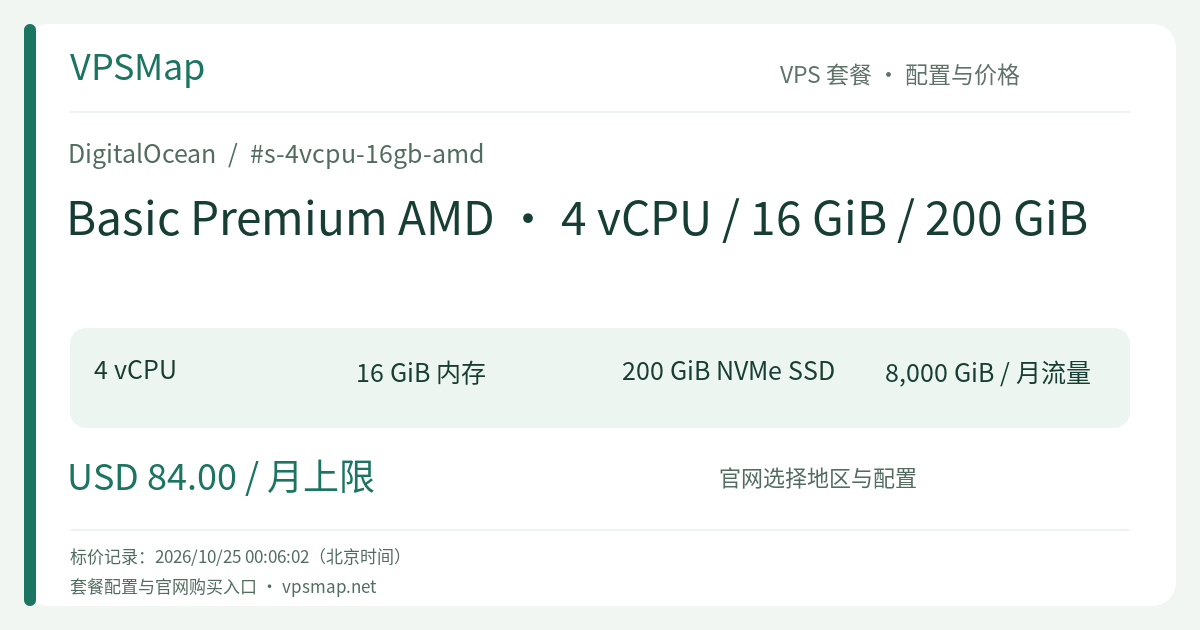
Traditionally, securing 16 GiB of RAM required upgrading to costly dedicated-CPU instances. The DigitalOcean Basic Premium AMD · 4 vCPU / 16 GiB / 200 GiB instance (s-4vcpu-16gb-amd) offers a cost-effective alternative. Featuring a generous 1:4 CPU-to-memory ratio backed by AMD EPYC processors and 3200 MHz RAM, it delivers the exact memory headroom required for data-heavy workloads at shared-tier pricing.
Architectural Advantages: 16 GiB RAM & 3200 MHz Frequency#
- 3200 MHz Memory Throughput: Memory-bound applications rely heavily on raw bus frequency. The 3200 MHz specification on Premium AMD Droplets minimizes memory bus contention, visibly improving Java Garbage Collection sweeps, Redis dictionary rehashes, and database join operations.
- 200 GiB Local NVMe Boot Storage: High-memory servers generate substantial system logs and temporary cache files. Native NVMe flash drives eliminate I/O queuing, keeping disk latency virtually unnoticeable during intensive dump operations.
- 8,000 GiB Pooled Transfer Quota: Outbound bandwidth of 8,000 GiB per month is aggregated into your organization's team transfer pool, easily supporting high-frequency external API exchanges, database replication, and file delivery.
Target Workload Scenarios#
This configuration represents an ideal operational fit for the following technical architectures:
1. JVM & Enterprise Application Stacks#
Deploying Spring Boot, Quarkus, or enterprise Kotlin/Java microservices involves substantial baseline memory overhead across the JVM heap, Metaspace, and thread stacks. On a 16 GiB instance, you can safely configure an 8–10 GiB heap (-Xms8g -Xmx8g), virtually eliminating the aggressive Full GC stop-the-world pauses that plague smaller nodes.
2. Standalone Elasticsearch or OpenSearch Nodes#
Search engines follow a classic operational rule: allocate roughly 50% of available RAM to the JVM heap and preserve the remaining 50% for the OS filesystem cache (Lucene index segments). With 16 GiB of total memory, you can assign 7–8 GiB to the search process while maintaining 8 GiB for page cache, dramatically accelerating query response times.
3. High-Buffer Production Relational Databases#
For MySQL or PostgreSQL databases with active datasets between 5 and 10 GiB, this configuration lets you maintain hot tables, indexes, and sort buffers entirely within system RAM. Transitioning from disk-bound lookups to memory-resident hits drops query response times from milliseconds to microseconds.
4. Headless Browser Automation & Web Scraping#
Running fleets of headless Chrome or Playwright instances for testing or data extraction consumes substantial memory per renderer process. Four AMD EPYC cores handle the rendering pipeline with ease, while 16 GiB of RAM prevents process crashes when navigating heavy, JavaScript-bloated target pages.
Strategic Considerations & Limits#
- Shared CPU Boundaries: Four EPYC cores provide robust burst capacity for traffic spikes and parallel tasks. However, if your workload demands 100% constant CPU saturation (e.g., perpetual video transcoding or 3D rendering), consider upgrading to dedicated CPU tiers like General Purpose to prevent potential hypervisor cycle rationing.
- Storage Expansion: The 200 GiB NVMe boot disk can be resized upward seamlessly in the control panel, but cannot be shrunk downward. For media libraries or cold backups, pair this Droplet with DigitalOcean Volumes (block storage) or Spaces (object storage).
Cost Flexibility & Monitoring#
- Granular Per-Second Billing: If you only need this instance for periodic batch reporting, end-of-month financial processing, or load testing, you can spin it up on demand and destroy it after completion—paying strictly for active seconds.
- Built-In Metrics: Keep tabs on memory and CPU trends with free DigitalOcean Monitoring, configuring alert policies via email or Slack to notify your team before resource thresholds are reached.
Note: Availability across regional datacenters is verified inside the DigitalOcean control panel during deployment. Pick the region closest to your end users for optimal network round-trip times.