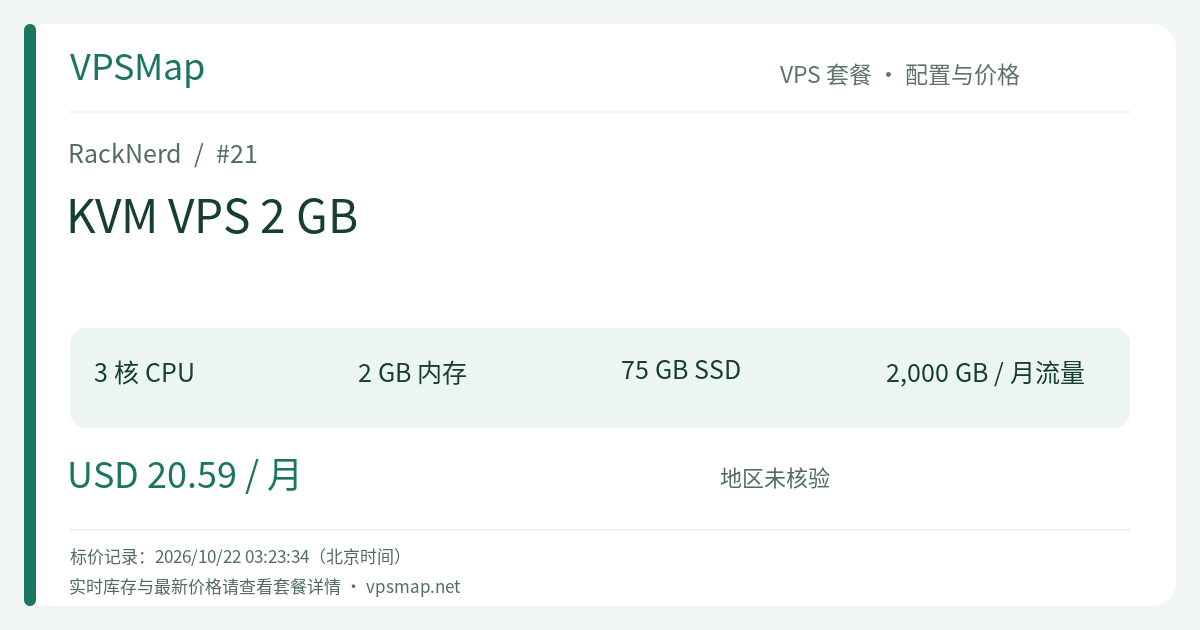
RackNerd KVM VPS 2 GB Buying Guide: 3 vCores, 75GB SSD, and the 2GB Self-Hosting Sweet Spot at $20.59/Month
Updated
In the spectrum of virtual private servers, 2 GB of RAM is widely recognized by systems engineers as the definitive "golden baseline for modern self-hosting." The progression from 1GB to 2GB is not merely an incremental bump—it represents a qualitative architectural leap from running isolated background scripts to comfortably hosting multi-container Docker environments, database engines, and full-featured hosting control panels.
Within RackNerd's standard KVM lineup, the KVM VPS 2 GB (PID 21) delivers extraordinary marginal utility. Compared to the $17.99/mo 1GB plan, for just an extra $2.60 per month ($20.59 / month), you receive:
- CPU processing leaping from 2 cores to 3 cores (+50% multi-threaded speed);
- RAM doubling cleanly to 2048 MB (+100% memory ceiling);
- RAID-10 SSD capacity expanding from 50 GB to 75 GB (+50% storage space);
- Monthly bandwidth doubling to 2000 GB (2 TB) @ 1Gbps!
Whether your objective is managing multiple websites, running Docker containers, or deploying modern automation pipelines, this configuration represents the most compelling productivity sweet spot in the catalog.
Comprehensive Technical Specifications#
- Processing Power: 3 vCores (Backed by enterprise Intel Xeon multi-core architecture)
- Physical Memory: 2048 MB (2 GB) RAM
- Disk Space: 75 GB RAID-10 Pure SSD (Hardware array protection with high sustained random I/O)
- Bandwidth Allowance: 2000 GB (2 TB) / month on an unthrottled 1Gbps port (Dynamic Noction IRP BGP optimization)
- Network Addressing: 1 Dedicated IPv4 (Up to 100 free IPv6 addresses provided via support ticket in Los Angeles and France)
- Virtualization Core: Pure hardware KVM with full root isolation and independent kernel control
- Management Stack: Proprietary
ctrldashboard (Featuring One-Click Apps, HTML5 VNC console, OS deployment, and cloud firewall) - Billing Structure: $20.59 / month (Cancel-anytime monthly freedom, seamless upgrades)
Why 2GB RAM / 3 vCores is the Critical Self-Hosting Threshold#
1. Zero-Crash Hosting Control Panels#
Attempting to deploy modern control panels (such as CloudPanel, AdminBolt, or CyberPanel) on a 1GB instance frequently leads to out-of-memory lockups during MariaDB indexing or PHP extension compilation. With 2GB of RAM and 3 dedicated vCPUs:
- AdminBolt via ctrl One-Click (Includes 30-Day Free Trial): Official system requirements specify 2+ vCPU and 2+ GB RAM on AlmaLinux 9. Deploy in a single click from the ctrl panel to manage domains, DNS, SSL certs, and WordPress effortlessly;
- CloudPanel High-Performance Hosting: Purpose-built for PHP, Node.js, Python, and reverse proxies, CloudPanel's minimum requirement is 1 vCore and 2GB RAM. Paired with 75 GB of SSD space, it easily hosts 5 to 10 production business websites;
- Adequate MySQL / MariaDB Buffer Pools: Your database is no longer throttled by anemic memory buffers. Complex JOIN operations and concurrent web queries execute without swapping.
2. Full Containerization Freedom: Docker & Portainer#
A 2GB footprint provides the stable baseline required for continuous Docker orchestration:
- Deploy Portainer for web-based container and volume management;
- Run an Nginx reverse proxy, an application container, a Redis cache, and a self-hosted n8n automation engine simultaneously (n8n's official hardware recommendation starts at 2 vCPU and 2 GB RAM);
- With 3 vCPU cores, CPU-intensive background tasks will not starve your web-facing services.
3. 75 GB Storage: True Production Headroom#
Typical budget VPS instances offer a restrictive 20–30 GB of storage. A generous 75 GB RAID-10 SSD allows you to:
- Store comprehensive web asset libraries, images, and user uploads;
- Maintain multiple rolling local snapshot backups;
- Retain extensive web server and system access logs for retrospective analytics without triggering emergency disk alerts.
Proven Real-World Implementations#
- Multi-Tenant Freelance & Agency Production Server Web agencies and freelance developers can install CloudPanel or AdminBolt to consolidate 5 to 8 client staging or production sites onto a single stable server. The 3 vCores provide the burst capacity needed when traffic hits multiple sites simultaneously.
- Automation & Integration Hub (n8n + Micro-Crawlers) One-click deploy n8n through the ctrl panel to interconnect internal APIs, ingest webhooks, and automate operational workflows with low latency.
- Modern Self-Hosted PaaS (Coolify Testing) Coolify's minimum entry requirements are exactly 2 vCPU and 2 GB RAM. It transforms your VPS into a self-hosted Heroku-style platform with automated Git deployments.
- Private Team Collaboration & Sync (Nextcloud / Seafile) The 75 GB SSD array provides ample room for a small team's private document synchronization hub, with Redis caching keeping file indexing rapid.
Comparative Evaluation: 1GB vs. 2GB vs. 4GB#
| Specification | KVM VPS 1 GB | KVM VPS 2 GB (Recommended) | KVM VPS 4 GB |
|---|---|---|---|
| Monthly Rate | $17.99 / month | $20.59 / month (+$2.60 diff) | $24.59 / month |
| CPU Processing | 2 vCores | 3 vCores (+50%) | 4 vCores |
| RAM | 1024 MB (1 GB) | 2048 MB (2 GB) (2x) | 4096 MB (4 GB) |
| SSD Disk | 50 GB RAID-10 | 75 GB RAID-10 (+50%) | 130 GB RAID-10 |
| Bandwidth | 1000 GB (1 TB) | 2000 GB (2 TB) (2x) | 3000 GB (3 TB) |
| Best Used For | Disposable sandboxes, light VPN | Production sweet spot, Docker & CMS | Heavy AI stacks, large databases |
Strategic Takeaway:
- If you are currently evaluating the $17.99/mo 1GB plan, upgrading to this $20.59/mo 2GB instance is an absolute no-brainer. The nominal $2.60 difference delivers an additional core, doubles your RAM, and expands your storage to 75 GB.
- If you need to deploy larger AI applications that mandate 4GB RAM minimums (such as Hermes Agent, AnythingLLM, or Ollama), step up directly to the KVM VPS 4 GB ($24.59/mo).
Setup & Deployment Guide#
1. Order Process & Datacenter Selection#
Navigate to the RackNerd KVM VPS 2 GB Order Portal.
- Datacenter: For international and Asia-Pacific routing, select Los Angeles (DC-02) for Noction IRP optimization and free IPv6 eligibility via support ticket.
- Operating System: Select AlmaLinux 9 if you plan to utilize AdminBolt, or Ubuntu 22.04 LTS / Debian 12 for general Docker workflows.
2. Unleash the ctrl One-Click Catalog#
After automated provisioning completes, log into the ctrl control panel:
- One-Click Apps: Open the One-Click Apps section to deploy AdminBolt, CloudPanel, Portainer, WireGuard, or n8n without touching the command line. Installation runs automatically and provisions initial credentials directly in the dashboard;
- ctrl Network Firewall: Add inbound filtering rules to protect your database and management ports at the network perimeter.
3. Manual Docker & Portainer Deployment (Alternative)#
If you prefer manual provisioning from a clean OS install, execute the following commands via SSH:
# System update
apt update && apt upgrade -y

# Configure a 2GB Swapfile on the high-speed SSD
fallocate -l 2G /swapfile
chmod 600 /swapfile
mkswap /swapfile
swapon /swapfile
echo '/swapfile none swap sw 0 0' >> /etc/fstab

# Install official Docker engine
curl -fsSL https://get.docker.com -o get-docker.sh
sh get-docker.sh
systemctl enable --now docker

# Deploy Portainer CE
docker volume create portainer_data
docker run -d -p 9000:9000 --name portainer --restart=always \
  -v /var/run/docker.sock:/var/run/docker.sock \
  -v portainer_data:/data \
  portainer/portainer-ce:latest
Navigate to http://YOUR_SERVER_IP:9000 in your web browser to initialize your container dashboard.
Summary#
The RackNerd KVM VPS 2 GB plan hits the ultimate balance of 3-core processing agility, 2GB memory headroom, 75GB resilient RAID-10 storage, and monthly billing flexibility. At just $20.59 a month, it delivers the professional computing power necessary to run production websites and containerized applications reliably.