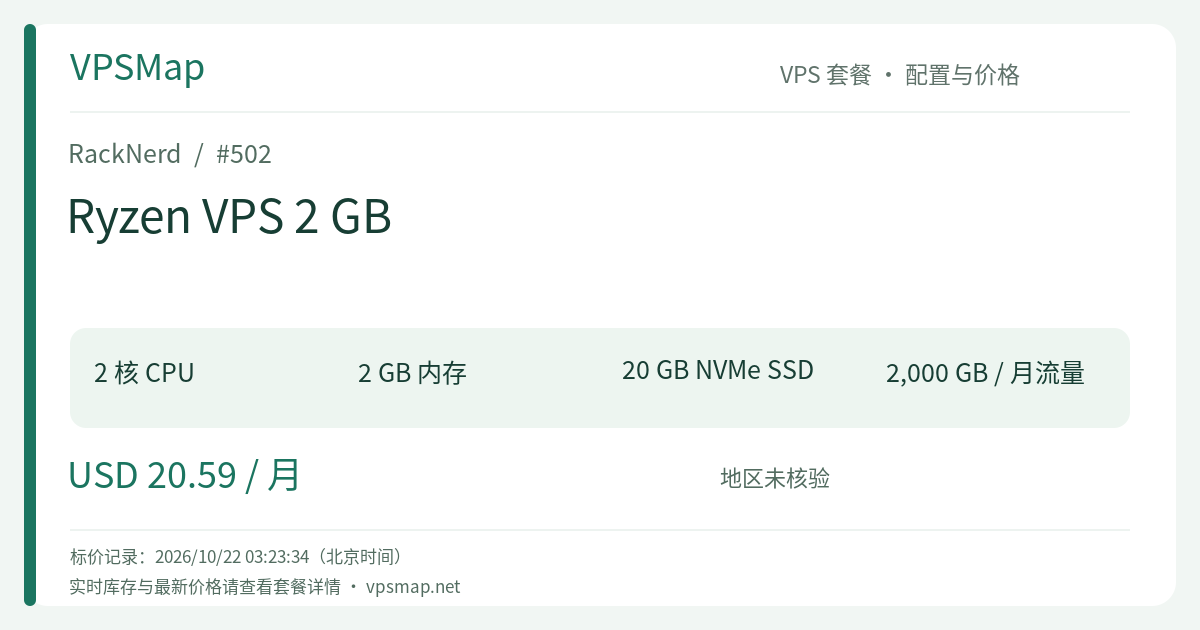
RackNerd Ryzen 2 GB VPS Buyer's Guide: Dual-Core NVMe at $20.59/Month — The Pragmatic Sweet Spot for Agile Stacks
Updated
When selecting cloud hosting, engineers frequently face a dilemma: annual promo nodes offer immense discounts but require a 12-month commitment on shared multi-tenant Xeon silicon, while on-demand enterprise cloud instances carry steep monthly invoices. The RackNerd Ryzen VPS 2 GB (PID 502) is purposefully engineered as a balanced middle ground.
Priced at $20.59 / month, it delivers 2 AMD Ryzen 3900X high-clock vCores, 2 GB of physical RAM, and 20 GB of pure NVMe SSD storage. Most critically, it costs just $2.60 more per month than the single-core 1 GB plan ($17.99/mo), while doubling both CPU cores and system memory. This makes it the indisputable sweet-spot tier within RackNerd's monthly Ryzen catalog.
Hardware Blueprint & Performance Base#
- Processor: 2 vCores (AMD Ryzen 3900X, renowned for superior single-core IPC and responsive multithreaded scheduling)
- Physical RAM: 2048 MB (2 GB)
- Storage: 20 GB Pure NVMe SSD (RAID redundancy, regular sequential I/O exceeding 1 GB/s)
- Bandwidth: 2000 GB (2 TB) monthly allocation @ 1Gbps unmetered port (Noction IRP route optimization)
- Networking: 1 Dedicated IPv4 (free allocation of up to 100 IPv6 addresses via ticket in Los Angeles DC-02)
- Control Features: KVM virtualization, automated reinstallation, out-of-band HTML5 VNC console, and full root access
- Pricing Structure: $20.59 / month (recurring monthly, cancel or upgrade anytime)
- Official Direct Access: Order RackNerd Ryzen VPS 2 GB
Why 2 vCores + 2 GB RAM Unlocks True Production Stability#
A single vCore can lock up when burst processes—such as archive extractions, heavy database queries, or concurrent API hits—saturate the core. Similarly, 1 GB of RAM often triggers memory pressure under modern stacks. Transitioning to 2 vCores and 2 GB RAM changes the paradigm:
Resilient Docker & Microservice Orchestration
Comfortably maintain a multi-container Docker Compose stack with 3 to 5 coordinated services: for instance, a Caddy reverse proxy, a Gitea lightweight code repository, and a persistent PostgreSQL instance. With 2 GB RAM and a 2 GB swap buffer, this ecosystem operates smoothly without OOM kills.Dynamic Web Platforms (WordPress / Ghost / Directus)
Dynamic PHP-FPM or Node-based CMS deployments benefit directly from the Ryzen 3900X's high clock speeds. Coupled with Redis caching, dynamic response generation times are significantly reduced, while NVMe read/write speed handles database queries effortlessly.Self-Hosted Automation (n8n & Scraper Workflows)
The n8n workflow automation platform officially requires a minimum of 2 vCPUs and 2 GB RAM. On this plan, you can trigger webhooks, query external APIs, and process data pipelines reliably without blocking the main event loop.Modern Hosting Panels (CloudPanel / AdminBolt / CyberPanel)
This configuration matches the recommended baseline for modern hosting panels like CloudPanel (Nginx, PHP, MySQL, Node.js), enabling you to host multiple client sites or staging environments easily.
Comparative Decision Analysis#
| Metrics | Ryzen 1 GB (Previous Tier) | Ryzen 2 GB (This Plan) | Ryzen 4 GB (Next Tier) | KVM Special 2 GB (Annual Deal) |
|---|---|---|---|---|
| Billing | $17.99 / month | $20.59 / month | $24.59 / month | $35.99 / year |
| CPU | 1 vCore (Ryzen) | 2 vCores (Ryzen) | 2 vCores (Ryzen) | 2 vCores (Intel) |
| RAM | 1 GB | 2 GB (2048 MB) | 4 GB (4096 MB) | 2 GB (2048 MB) |
| Storage | 15 GB NVMe | 20 GB NVMe | 30 GB NVMe | 35 GB RAID-10 SSD |
| Transfer | 1 TB @ 1Gbps | 2 TB @ 1Gbps | 3 TB @ 1Gbps | 5 TB @ 1Gbps |
| Verdict | Overpriced relative to 2GB | Best value sweet spot in monthly Ryzen | Spend $4 extra if running heavier AI/PaaS | Unmatched economy for multi-year sites |
Decision Guidelines:
- Versus Ryzen 1 GB: For an extra $2.60/month, you double your compute cores, memory, and bandwidth. The 1 GB tier makes little financial sense when this 2 GB plan exists.
- Versus Ryzen 4 GB: If your roadmap includes self-hosted AI agent tools (like Ollama or AnythingLLM, which require 4 GB minimum), spending an extra $4.00/month for the Ryzen 4 GB plan ($24.59/mo) is a prudent upgrade.
- Versus Annual Specials: If your workload is long-term and doesn't require monthly flexibility or pure NVMe speeds, the KVM Special 2 GB ($35.99/year) offers dramatically lower multi-year cost.
Practical Setup & Deployment Flow#
- Datacenter Selection: Pick Los Angeles DC-02 or San Jose for optimized latency toward Asia-Pacific users; select Dallas, Chicago, or New York for North American and European delivery. Request free IPv6 addresses via ticket if deployed in Los Angeles DC-02.
- Operating System: Choose Ubuntu 22.04 LTS or Debian 12 64-bit for optimal container compatibility and long-term package stability.
- Install Docker Engine & Compose:
curl -fsSL https://get.docker.com | sh systemctl enable --now docker docker compose version - Configure Swap Space: Bolster the 2 GB physical RAM with a 2 GB swap file to absorb transactional query spikes:
fallocate -l 2G /swapfile chmod 600 /swapfile mkswap /swapfile swapon /swapfile echo '/swapfile none swap sw 0 0' >> /etc/fstab - Validate Storage Speed: Run
ddorfioto verify that your NVMe storage is operating cleanly above 1 GB/s throughput.