RackNerd Windows VPS 2 GB Buyer's Guide: Lightweight Remote Desktop, Trading Terminals & 24/7 Automation
Updated
Solving Real Problems: Why Run a 24/7 Dedicated Windows Host in the Cloud?#
For forex algorithmic traders, e-commerce operators, and developers maintaining Windows-specific automation scripts, relying on a local home or office PC presents persistent risks: unexpected broadband drops, mandatory Windows update restarts, electricity costs, and hardware wear. More critically, running Windows on budget VPS hosts with slow mechanical drives or SATA SSDs often leads to frustrating lag—background telemetry and file indexing can lock disk usage at 100%, causing Remote Desktop (RDP) sessions to freeze.
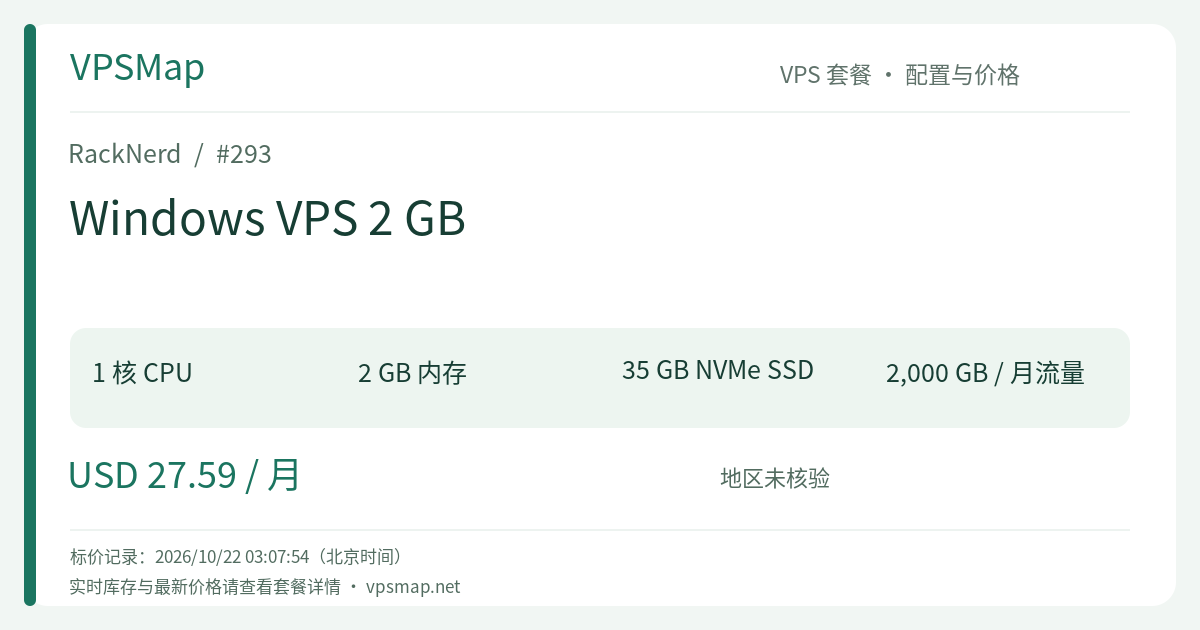
RackNerd Windows VPS 2 GB (pid 293) addresses these lightweight remote hosting requirements. Powered by AMD Ryzen 3900X processing and pure NVMe SSDs in a RAID-10 array, it provides 1 vCPU, 2048 MB RAM, 35 GB storage, and 2000 GB (2 TB) transfer on a 1Gbps port at $27.59/month, complete with native Administrator access and unhindered RDP connectivity.
System Specifications and Core Features#
+--------------------------------------------------------------+
|                   RackNerd Windows VPS 2 GB                  |
+-------------------+------------------------------------------+
| CPU Architecture  | AMD Ryzen 3900X (1 vCore)                |
| Allocated RAM     | 2048 MB (2 GB System Memory)             |
| Storage Subsystem | 35 GB Pure NVMe SSD (RAID-10 Array)      |
| Disk Throughput   | > 1 GB/s Speeds, Bypassing Windows I/O Bottlenecks |
| Uplink / Traffic  | 1Gbps Network Port / 2000 GB (2 TB) Data |
| Dedicated IP      | 1 Static IPv4 (IPv6 available in LA)     |
| Operating System  | Windows Server 2012 / 2016 / 2022        |
| Remote Protocol   | Native RDP Protocol / Full Administrator |
| Base Price        | $27.59 / month (Monthly recurring)       |
+-------------------+------------------------------------------+
1. Ryzen 3900X & NVMe: Eliminating Windows Lag#
Windows Server places significantly heavier demands on disk storage than Linux. Event logs, Windows Defender sweeps, and pagefile activity occur continuously. By running on pure NVMe storage (RAID-10) with sequential throughput exceeding 1 GB/s, this VPS avoids the disk-wait lag spikes common on budget hosting, ensuring smooth mouse movement and fast window switching over RDP.
2. Native Administrator Access and RDP Compatibility#
Upon provisioning, connect directly using the built-in Remote Desktop Connection (mstsc) on Windows, or Microsoft Remote Desktop on macOS/iOS. You enjoy clipboard sharing, local drive redirection, and unrestrained administrator privileges to install and configure software.
Managing the 2 GB RAM Threshold: Practical OS Selection#
Windows is a resource-intensive operating system. Managing memory effectively is essential for a smooth experience:
+-------------------------------------------------------------+
|         Windows Server Memory Footprint on 2 GB RAM         |
+-----------------------+-------------------+-----------------+
| OS Version            | Baseline RAM Idle | 2 GB Rating     |
+-----------------------+-------------------+-----------------+
| Windows Server 2012   | ~ 700 MB - 900 MB | ★★★★★ (Leanest) |
| Windows Server 2016   | ~ 1.0 GB - 1.2 GB | ★★★★☆ (Balanced)|
| Windows Server 2022   | ~ 1.4 GB - 1.6 GB | ★★☆☆☆ (Tight)   |
+-----------------------+-------------------+-----------------+
Key Recommendations:#
- Prefer Windows Server 2012 or 2016: While Windows Server 2012, 2016, and 2022 are selectable during ordering, Windows Server 2012 or 2016 is strongly advised for a 2 GB instance. These leaner footprints preserve between 800 MB and 1.3 GB of clean physical memory for your third-party tools.
- Avoid Heavy Multi-Tab Web Browsing: 2 GB RAM is not intended for keeping 20 Chrome tabs open simultaneously. If running automation scripts, utilize headless execution modes or lightweight browsers to conserve memory.
Comparative Analysis: The $3 Upgrade Consideration#
When reviewing RackNerd's Windows catalog, one critical upgrade option stands out:
| Feature | Windows VPS 2 GB (pid 293) | Windows VPS 4 GB (pid 294) | Windows VPS 6 GB (pid 295) | Ryzen Linux 2 GB (pid 502) |
|---|---|---|---|---|
| CPU Cores | 1 vCore (Ryzen) | 2 vCore (Ryzen) | 2 vCore (Ryzen) | 2 vCore (Ryzen) |
| System RAM | 2048 MB | 4096 MB | 6144 MB | 2048 MB |
| NVMe Storage | 35 GB | 60 GB | 85 GB | 20 GB |
| Bandwidth | 2 TB @ 1Gbps | 2 TB @ 1Gbps | 3 TB @ 1Gbps | 2 TB @ 1Gbps |
| OS License | Windows Server Inc. | Windows Server Inc. | Windows Server Inc. | Linux Distros |
| Monthly Cost | $27.59 / month | $30.59 / month | $35.59 / month | $20.59 / month |
Decision Guide:#
- Why Consider the 4 GB Plan (pid 294)? The 2 GB Windows tier costs $27.59/month, while the 4 GB plan is $30.59/month—a difference of just $3.00. For those extra $3, memory doubles to 4096 MB, CPU allocation increases to 2 cores, and NVMe space expands to 60 GB. If you intend to operate more than two trading terminals or navigate web dashboards frequently, spending the extra $3 for 4 GB is the most cost-effective decision you can make.
- Who Should Stick with 2 GB? If your workload is singular and lightweight—such as running 1 or 2 MetaTrader 4 terminals for trade copying, running a lightweight C#/Python polling utility, or maintaining a personal emergency administrative jumpbox—the 2 GB tier delivers exactly what you need at the lowest possible baseline price.
Notice: The promo code
15OFFDEDIapplies exclusively to dedicated bare-metal servers and cannot be used for VPS packages. Real-time availability is confirmed during checkout.
Primary Use Cases#
- Forex MetaTrader 4 / 5 (MT4/MT5) Hosting: Keeping algorithmic trading strategies and automated copy-trading terminals active 24/7 with low network latency.
- Lightweight Windows Automation Utilities: Running unattended desktop utilities, lightweight scrapers, or scheduled synchronization tasks.
- Clean E-Commerce Operations Jumpbox: Providing a secure, isolated static IP environment for accessing merchant accounts without cross-contamination.
- Emergency Remote Desktop Access: Accessing a private Windows environment from mobile devices or locked-down corporate laptops via RDP.
Step-by-Step Ordering and Connection Guide#
- Go to the official checkout page: Order RackNerd Windows VPS 2 GB.
- Select Operating System: Choose your Windows Server edition (Windows Server 2012 or 2016 is recommended for 2 GB memory; OS switching between 2012 and 2016 is supported in the control panel post-deployment).
- Select Datacenter Region: Pick a location close to your trading broker or primary workflow base (e.g., Los Angeles).
- Retrieve Server Credentials: Once automated provisioning completes, retrieve your dedicated IP and Administrator password from the control panel.
- Connect via RDP: Open Remote Desktop Connection (
mstsc) on your local machine, enter the assigned IP address, log in asAdministrator, and begin using your remote desktop.