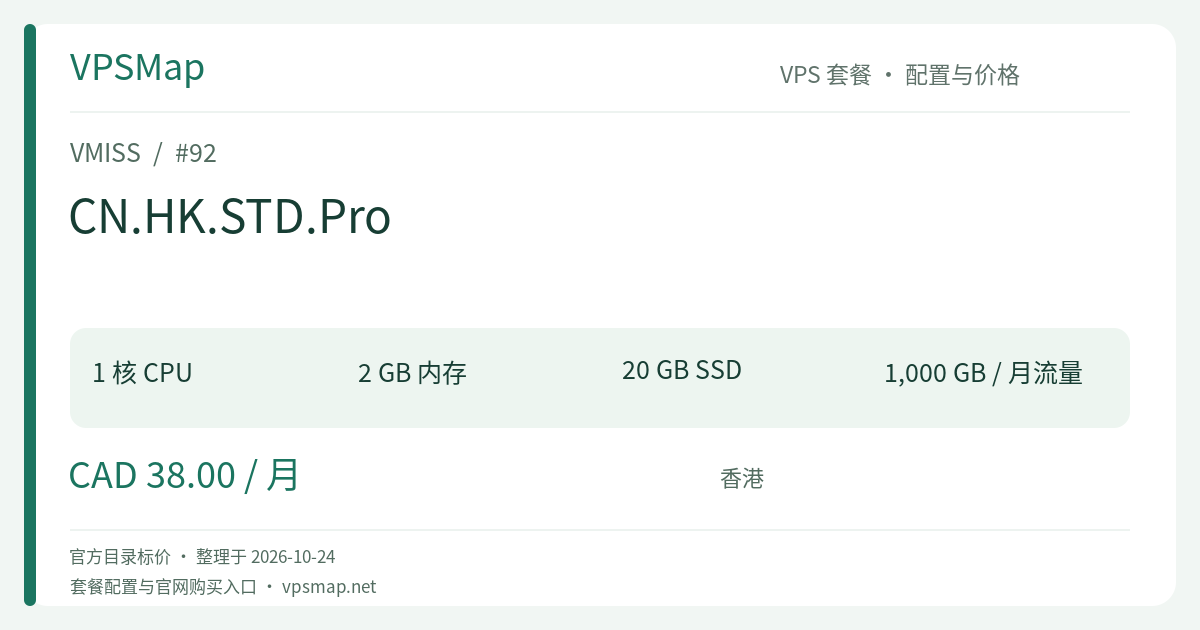
VMISS Hong Kong CN.HK.STD.Pro Review: Unlocking Containerized Stacks with 2GB RAM and 1000GB Data Quota
Updated
The 2GB Threshold: Transitioning to Multi-Container Stacks#
Upgrading system memory from 1GB to 2GB is often the most noticeable inflection point in VPS infrastructure. On a 1GB node, system resources are persistently tight; launching an auxiliary metric daemon or a background worker can easily trigger memory saturation. With VMISS CN.HK.STD.Pro (CAD 38/month), the included 2048MB of RAM provides more than 1.7GB of freely addressable space after standard Linux kernel allocations.
This headroom enables engineers to deploy self-contained Docker Compose environments without strip-mining individual runtime components. Backed by a generous 1000GB (1TB) monthly bandwidth allocation over a 100Mbps network port, CN.HK.STD.Pro delivers stable, dependable throughput from its low-latency Hong Kong network base.
Recommended Architectural Workloads#
With 2GB of RAM and a 1TB bandwidth budget, several production patterns thrive on this plan:
- Decoupled Web Applications: Serving a static frontend via Nginx alongside a Node.js (NestJS/Fastify) or Go backend, coupled with a lightweight Redis instance for session state and in-memory caches.
- Team Collaboration & Productivity Services: Deploying security and monitoring tools such as Vaultwarden for secrets management, Uptime Kuma for heartbeat checks, and Umami for privacy-friendly analytics.
- Staging & Automated Gateways: Functioning as an integration staging target or a secure edge gateway into overseas infrastructures. The 1000GB quota effortlessly accommodates frequent automated test suites and continuous deployments.
Storage and Runtime Best Practices#
While 20GB of storage accommodates core OS dependencies and operational packages, executing multi-service containers warrants clean memory limits and proactive storage management:
# docker-compose.yml example: Enforcing memory ceilings to preserve stability
services:
  app:
    image: my-backend-service:latest
    restart: always
    deploy:
      resources:
        limits:
          memory: 768M
    ports:
      - "3000:3000"

  redis:
    image: redis:alpine
    command: redis-server --maxmemory 256mb --maxmemory-policy allkeys-lru
    deploy:
      resources:
        limits:
          memory: 384M
To prevent lingering Docker layers from filling the 20GB drive, configure a scheduled maintenance prune:
# Weekly cleanup cron job targeting unreferenced images older than 7 days
0 3 * * 0 /usr/bin/docker image prune -af --filter "until=168h" > /dev/null 2>&1
Bandwidth Capacity & Traffic Utility#
At 100Mbps port speed, 1000GB monthly traffic allows for roughly 33GB of data transfer every day. For typical web applications where dynamic pages and associated assets average 2MB per request, this provides capacity for over 15,000 daily pageviews with full peace of mind regarding quota exhaustion.
| Parameter | Specification Detail |
|---|---|
| Official Pricing | CAD 38 / month (monthly subscription) |
| Processing Units | 1 vCPU Core |
| Operating Memory | 2048MB (2GB RAM) |
| Local Storage | 20GB SSD Storage |
| Monthly Data Cap | 1000GB (100Mbps Port) |
| Network & Add-ons | IP replacement available via ticket for CAD 5 |
Decision Framework: Core vs. Pro vs. Elite#
- Compared to Core (CAD 24/mo): Core offers 1GB RAM and 600GB traffic. The CAD 14 difference for Pro delivers double the memory (2GB) and an additional 400GB of bandwidth. For Node.js, Python, or containerized services, this extra headroom provides real insurance against memory exhaustion.
- Compared to Elite (CAD 75/mo): Elite steps up to 2 vCPU cores, 4GB RAM, and 1600GB transfer. Unless your current workload demands multi-threaded compute or larger database buffer pools, Pro remains the most cost-effective tier for single-core deployment architectures.
Review live inventory and verify deployment specifications on the VMISS portal: Configure VMISS CN.HK.STD.Pro.