V.PS San Jose SJC Essential Guide: Why the €9.95/mo Plan is the Sweet Spot for US West Deployments
Updated
Why SJC Essential is the Sweet Spot for San Jose#
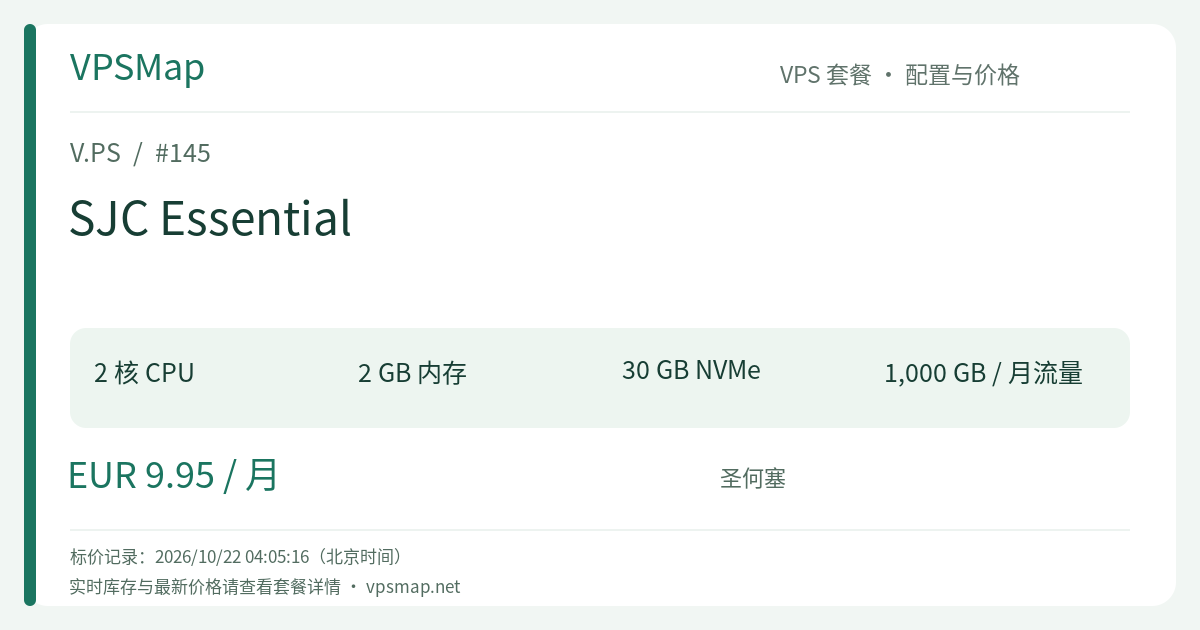
When evaluating the lineup of V.PS San Jose instances (Cloud KVM VPS), SJC Essential presents by far the most compelling price-to-performance leap. Priced at €9.95 per month, it costs just €1.00 more than the entry-level SJC Starter (€8.95/mo), yet it unlocks critical architectural upgrades:
- Doubled System Memory: 2 GB RAM compared to 1 GB;
- 50% More Storage: 30 GB pure NVMe storage compared to 20 GB;
- Balanced Compute & Network: Retains 2 vCPU cores, a 1 Gbps port, and 1 TB of bi-directional transfer, complete with dedicated IPv4 and IPv6 addresses.
In modern cloud development, 1 GB of RAM is frequently the dividing line between intermittent out-of-memory crashes and seamless operation. That extra 1 GB of RAM allows the system to easily host Docker containers, local caching layers (Redis/Memcached), and real relational databases without aggressive thrashing. For almost every practical use case, SJC Essential is the true baseline.
Technical Specifications & Production Capabilities#
| Specification | SJC Essential Parameter | Operational Impact |
|---|---|---|
| Processor | 2 vCPU Cores (KVM) | Handles concurrent asynchronous tasks and background workers seamlessly |
| System RAM | 2048 MB (2 GB) | The foundational threshold for containerized web stacks without OOM anxiety |
| Storage | 30 GB NVMe Disk | Substantial space for Linux OS, base container images, and project data |
| Port Speed | 1 Gbps High-Speed | Direct access to Silicon Valley transit networks with low latency across the Pacific and Americas |
| Bandwidth | 1000 GB / Month (1 TB) | Generous allotment for active API gateways and moderate web traffic |
| Networking | 1 × IPv4 + 1 × IPv6 | Comprehensive dual-stack connectivity included out of the box |
| SLA & Backbone | Tier 1 Transit + 99.9% SLA | High reliability, peering with major internet exchanges, and developer-backed support |
Practical Deployment Scenarios#
- Full-Stack Docker Deployment: Comfortably host a production-grade stack comprising
Nginx/Caddy + Node.js/Go backend + PostgreSQL + Redis. Total memory consumption typically stabilizes around 1.2 GB–1.5 GB, leaving ample head space for the OS. - Dynamic Web CMS & Blogs: Run WordPress paired with Redis object caching or Ghost CMS with ease, maintaining snappy response times during concurrent visit spikes.
- Developer Automation & Build Workers: Utilize the instance as a self-hosted GitHub Actions runner or automated test staging server. Two vCPU cores and NVMe I/O ensure rapid dependency installation.
- West Coast Gateway: Station an application gateway in Silicon Valley to serve users across North America and provide optimized ingress/egress to trans-Pacific regions.
Plan Comparison: Starter, Essential, or Pro?#
| Plan Name | Price | Core Specs | Monthly Bandwidth | Practical Recommendation |
|---|---|---|---|---|
| SJC Starter | €8.95 /mo | 2 vCPU / 1 GB / 20 GB NVMe | 1 TB | Saving €1.00 sacrifices 50% RAM; only for single-purpose minimal binaries |
| SJC Essential | €9.95 /mo | 2 vCPU / 2 GB / 30 GB NVMe | 1 TB | The highest value plan in the lineup; universally recommended |
| SJC Pro | €19.95 /mo | 4 vCPU / 4 GB / 40 GB NVMe | 1 TB | Double the compute and RAM at twice the cost; for heavy compilation or multi-tenancy |
| SJC Premium | €39.95 /mo | 8 vCPU / 8 GB / 80 GB NVMe | 1 TB | Designed for high-concurrency enterprise workloads; overkill for general staging |
Upgrading from Starter to Essential yields the highest return on investment in the catalog. Spending a single additional Euro per month eliminates the maintenance headache of severe memory constraints.
Hands-on Implementation: Containerized Stack Template#
With 2 GB of memory, containerization via Docker Compose becomes straightforward. Below is a tested docker-compose.yml incorporating conservative memory limits to safeguard server stability:
version: '3.8'

services:
  reverse-proxy:
    image: caddy:alpine
    ports:
      - "80:80"
      - "443:443"
    restart: always
    deploy:
      resources:
        limits:
          memory: 128M

  app:
    image: your-app:latest
    restart: always
    environment:
      - DB_HOST=db
      - REDIS_HOST=cache
    deploy:
      resources:
        limits:
          memory: 512M

  db:
    image: postgres:15-alpine
    restart: always
    environment:
      POSTGRES_DB: main
      POSTGRES_PASSWORD: your_secure_password
    deploy:
      resources:
        limits:
          memory: 384M

  cache:
    image: redis:alpine
    restart: always
    command: ["redis-server", "--maxmemory", "128mb", "--maxmemory-policy", "allkeys-lru"]
    deploy:
      resources:
        limits:
          memory: 160M
This configuration caps combined container usage at ~1.2 GB, operating well within the 2048 MB envelope of SJC Essential while preserving disk caching performance.
Official Refund Policy and Anti-Fraud Compliance#
Before ordering, be aware of the contractual terms enforced by V.PS:
- Refund Eligibility Criteria:
- Refund requests must be lodged via ticket within 14 calendar days of initial provisioning.
- Transfer Ceiling: You must have transferred less than 10 GB of total data across the server.
- One-Time Policy: Limited strictly to one refund per customer account.
- Ineligible Scenarios: Payments made via Cryptocurrency or Bank Transfer; instances associated with custom BGP or IX sessions; renewal invoices; discounted flash sales; accounts that previously submitted IP replacement requests; or instances involved in abuse reports or IP blacklistings (Spamhaus, GFW, blocklist.de).
- Anti-Fraud Account Verification:
- Real legal names and accurate billing addresses are mandatory.
- Do not use anonymizing proxy tunnels or residential VPNs when submitting payment. Inaccurate or fraudulent details trigger automatic order rejection.
- Billing Currency & Methods:
- Accepted gateways: PayPal, standard Credit Cards, and regionally supported payment systems such as Alipay, iDEAL, and Bancontact. All billing is computed in Euros (EUR).
Step-by-Step Ordering Process#
To ensure proper attribution and select the exact configuration without redirect anomalies, follow these instructions:
- Visit Official Portal: Go to V.PS Main Service Page to initialize session attribution.
- Open Deployment Interface: Click on Deploy a Server or choose See Pricing in the header navigation.
- Choose Server Category: Select Cloud KVM VPS from the product overview.
- Navigate to San Jose: Find North America -> San Jose (SJC).
- Network Diagnostic: Use the Test this network link to launch the Looking Glass for route inspection.
- Select SJC Essential: Locate SJC Essential (2 CPU cores, 2 GB memory, 30 GB NVMe, 1 TB transfer @ €9.95 /mo), then click Order.
- Complete Checkout: Select your desired OS distribution (Debian, Ubuntu, AlmaLinux, or custom netboot.xyz ISO), fill in your legitimate billing details, and process payment. Your instance will deploy in seconds.