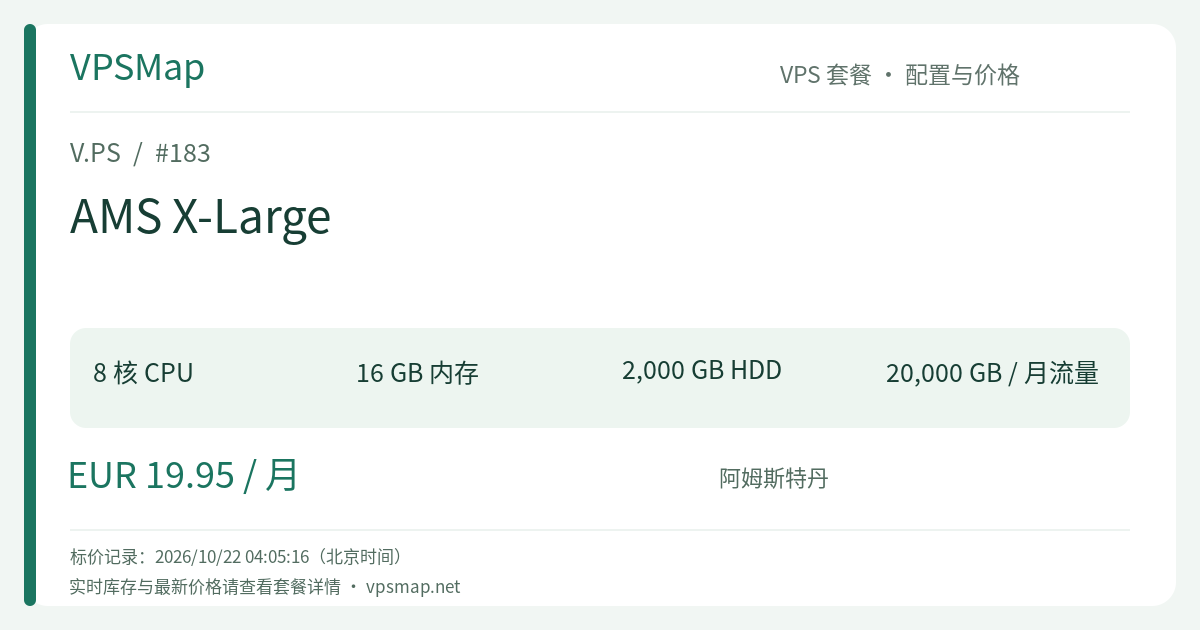
V.PS Amsterdam AMS X-Large Storage VPS Review: 8 Cores, 16GB RAM, and 2TB Storage Powerhouse
Updated
Breaking Free from the Low-RAM Storage Trap#
For years, storage VPS configurations have fallen into a frustrating pattern. Providers routinely pair large hard drives with 1 or 2 underpowered shared vCPUs and a meager 1 GB or 2 GB of RAM. While this setup suffices for passive archiving, it quickly falls apart the moment you deploy modern self-hosted services. Running a Nextcloud instance with full-text indexing, operating a deduplicating BorgBackup target with ZSTD compression, or orchestrating a Dockerized MinIO object store often triggers Out-Of-Memory (OOM) errors and disk I/O freezes.
Linux storage performance fundamentally relies on the OS page cache. When abundant memory is available, frequently read metadata, directory structures, and active read/write blocks reside directly in high-speed RAM buffers, masking the inherent seek latency of traditional mechanical drives.
The V.PS AMS X-Large Storage KVM VPS addresses this bottleneck directly:
- Substantial Compute & Memory: 8 CPU cores paired with 16 GB of physical RAM allow backend indexing, deduplication algorithms, and container stacks to run with ample headroom.
- Generous Persistent Storage: 2000 GB (2 TB) of mechanical hard disk capacity provides a solid repository for enterprise off-site snapshots, system images, and multimedia libraries.
- Carrier-Grade Network & Bandwidth: A 1 Gbps uplink delivering 20 TB (20,000 GB) of monthly transfer directly at the Amsterdam internet crossroads (peering at AMS-IX, DE-CIX, and Tier 1 carriers).
- Predictable Monthly Pricing: Priced at €19.95/month, this configuration offers exceptional compute-to-storage value for high-demand architectures.
Specification & Tier Comparison: Amsterdam Storage VPS Series#
The Storage KVM VPS family from V.PS is situated in Amsterdam, Netherlands. Below is the structural comparison across all tiers in the lineup:
| Plan Name | CPU Cores | Memory | Disk Space | Monthly Transfer | Uplink Port | Price (EUR) |
|---|---|---|---|---|---|---|
| AMS Small | 1 Core | 2 GB | 500 GB HDD | 5 TB | 1 Gbps | €6.95 /mo |
| AMS Medium | 2 Cores | 4 GB | 1000 GB HDD | 10 TB | 1 Gbps | €7.95 /mo |
| AMS Large | 4 Cores | 8 GB | 1500 GB HDD | 15 TB | 1 Gbps | €9.95 /mo |
| AMS X-Large (Current Plan) | 8 Cores | 16 GB | 2000 GB HDD | 20 TB | 1 Gbps | €19.95 /mo |
Architectural Takeaway: Upgrading from the entry tier to AMS X-Large scales your compute eightfold (from 1 to 8 cores), expands memory by a factor of eight (from 2 GB to 16 GB), quadruples transfer to 20 TB, and provides 2 TB of usable disk space. If your storage workload involves active processing rather than static parking, the X-Large tier delivers the requisite headroom.
Practical Workload Scenarios for AMS X-Large#
1. Private Cloud Platforms (Nextcloud / Seafile / OwnCloud)#
Self-hosted private clouds demand heavy compute when processing large file libraries. Nextcloud thumbnail rendering, Redis cache locks, and database query caches can quickly saturate minimal instances. On AMS X-Large:
- 16 GB of RAM allows configuring expansive PostgreSQL/MySQL buffer pools (e.g.,
innodb_buffer_pool_size = 4G) and dedicated Redis caches. - 8 CPU cores handle background cron preview generation across thousands of photos without choking interactive user requests.
- 2 TB of storage accommodates extensive media libraries, creative project assets, and documents for small teams or households.
2. Enterprise-Grade Remote Backup Hub (BorgBackup / Restic / MinIO)#
Adhering to the standard 3-2-1 backup strategy requires an isolated off-site repository. AMS X-Large serves as an ideal destination:
- Host a secure MinIO instance acting as an S3-compatible storage gateway for web servers and database snapshots across multiple cloud providers.
- Run concurrent BorgBackup or Restic server-side repositories. Chunk comparison, cryptographic verification, and deduplication operations consume noticeable memory tables and CPU cycles, both of which are readily available here.
3. Self-Hosted Version Control & CI/CD Artifact Cache#
If your organization runs self-hosted GitLab CE, Gitea, or Forgejo instances alongside container registries:
- GitLab officially recommends at least 4 GB to 8 GB of RAM for stable multi-user operation; 16 GB provides ample room for the web frontend, Gitaly, PostgreSQL, and background Sidekiq workers.
- Storing multi-gigabyte Docker images and compiled build artifacts requires generous disk space and broad bandwidth, well covered by the 2 TB storage and 20 TB transfer allowance.
4. Mirroring and Public Dataset Distribution#
Amsterdam sits at one of the most connected network intersections in Europe. If you distribute open-source software, host Linux distribution mirrors, or serve public research datasets, the 1 Gbps port backed by a 99.9% SLA ensures dependable, high-throughput delivery across European and transatlantic routes.
Essential Trade-offs & Expectations#
To ensure optimal architectural fit, consider the following technical characteristics before purchasing:
- Mechanical Hard Drive (HDD) Characteristics:
- Strengths: Low cost per gigabyte, high sequential read/write speeds, and reliable long-term bulk storage.
- Limitations: Random 4K IOPS are inherently restricted compared to NVMe SSDs. This server is not intended for high-concurrency transactional online databases (such as high-QPS relational production databases). It is engineered for backups, media streaming, bulk synchronization, and archival pipelines.
- Shared vCPU Resource Allocation:
- The 8 CPU cores operate within a KVM virtualized environment. They comfortably manage compilation bursts, compression routines, and concurrent requests. Under standard acceptable usage guidelines, prolonged sustained 100% synthetic utilization across all cores is discouraged.
- Network Latency Profile:
- Hosted in Amsterdam (AMS), Netherlands. Network latency within Western and Central Europe is low (typically under 20ms), with solid connectivity to North America. When serving users in the Asia-Pacific region, latency ranges between 140ms and 220ms; integrating a CDN for static edge delivery is recommended if regional low latency is required.
Step-by-Step Purchase & Provisioning Guide#
Follow these verified steps to inspect current inventory and deploy the server:
- Open the Deployment Portal: Navigate through the official V.PS Purchase Portal. This establishes proper attribution and directs you securely to the official home page.
- Navigate to Storage VPS: Click Deploy a Server or go to Products -> KVM VPS, then select the Storage KVM VPS category and choose the Amsterdam (AMS) datacenter.
- Select AMS X-Large: Locate the AMS X-Large tier (8 vCPU, 16 GB RAM, 2000 GB HDD, 20 TB Transfer, €19.95 /mo) and select monthly billing.
- Configure Operating System & SSH:
- Select standard enterprise distributions including Debian 12, Ubuntu 22.04/24.04 LTS, Rocky Linux, or AlmaLinux.
- For custom partition schemes (such as dedicated
/datapartitions or specialized storage distributions), select the netboot.xyz ISO option. - Enter your desired hostname and supply your public SSH key for secure key-based authentication.
- Account Verification & Checkout:
- V.PS requires real and accurate legal names and residential addresses for billing. Orders undergo automatic anti-fraud checks and manual staff review.
- Select from supported payment gateways: PayPal, major credit cards, bank transfer, or supported regional methods (such as Alipay, iDEAL, and Bancontact).
- Deployment & Operational Management: Once payment is confirmed, the server provisions automatically within moments. The management console allows rebooting, reinstallation, and console access, alongside an API for programmatic workflow automation.
Refund Policy & Eligibility Checklist#
V.PS maintains a 14-calendar-day refund window for VPS services via support ticket, subject to the following official criteria:
- Limited to one refund per customer account.
- Outbound/inbound data transfer must not exceed 10 GB.
- No active BGP sessions or Internet Exchange (IX) interconnects attached to the service.
- The service has not been transferred to or from another user account.
- The assigned IP address is free of abuse complaints and is not listed on blacklists (such as Spamhaus, blocklist.de, or regional filtering lists) at the time of the request.
- No IP change requests have been processed.
- Payments made via cryptocurrencies or bank transfers are strictly non-refundable; invoice renewals and promotional flash-sale orders are also exempt from refunds.