RackNerd 16 GB Windows VPS Review & Buying Guide: 6-vCore Ryzen 3900X and 200 GB NVMe for Demanding Workloads
Updated
Introduction: Why Enterprise and Heavy Workloads Demand a 16 GB Windows Cloud Instance#
When evaluating virtual private servers, Windows workloads function very differently from standard Linux distributions. A headless Linux instance often idles at a fraction of a gigabyte. In stark contrast, modern Windows Server systems—whether Windows Server 2016 or 2022—require a baseline memory footprint of 1.5 GB to 2 GB simply to run essential operating system services, Explorer, and core management layers. On entry-level 2 GB or 4 GB virtual servers, launching a Remote Desktop (RDP) session alongside a few browser tabs or persistent background daemons quickly triggers intense memory paging. The operating system is forced to swap memory blocks onto disk space, causing UI stutter, input lag, and process latency.
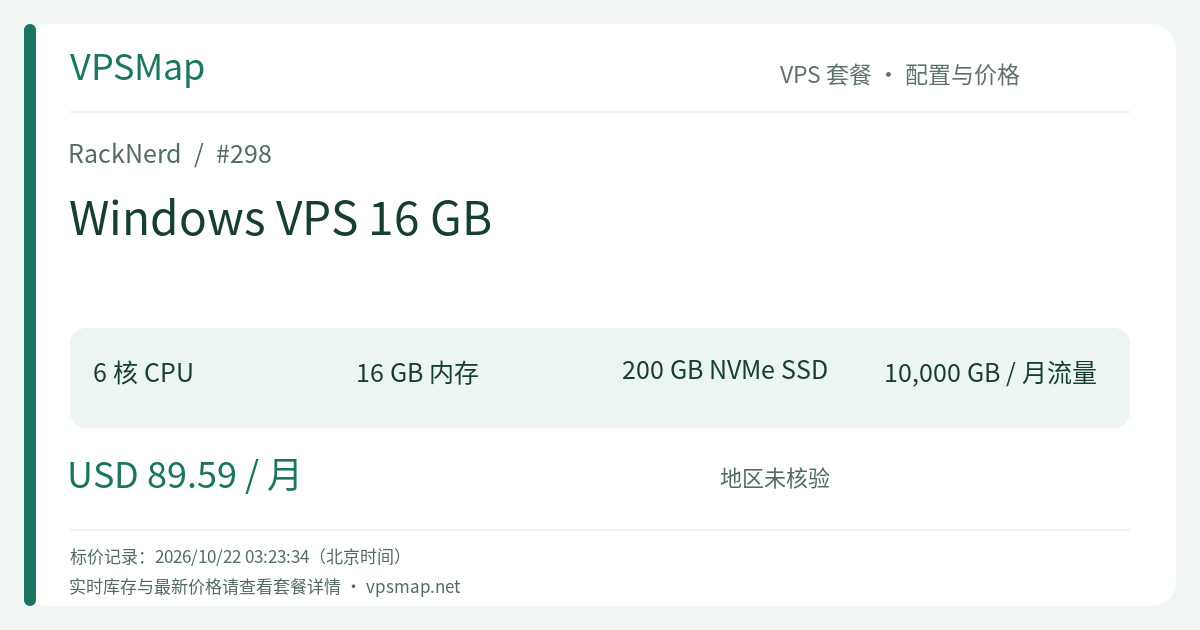
The RackNerd Windows VPS 16 GB plan (PID 298) is purpose-built to eliminate that exact operational bottleneck. Equipped with 6 vCPU cores driven by AMD Ryzen 3900X processors, 16 GB of dedicated RAM, 200 GB of pure RAID-10 NVMe SSD storage, and an expansive 10,000 GB (10 TB) monthly data transfer limit at 1Gbps, this flagship plan retails at $89.59 per month. It is not an experiment for lightweight sandboxing; it is an always-on, high-throughput cloud workstation designed for serious enterprise operations.
Hardware Foundations and Core Technological Highlights#
1. High Single-Core IPC from AMD Ryzen 3900X#
Legacy enterprise hosting fleet nodes commonly run multi-socket Intel Xeon chips with modest clock frequencies. While they offer abundant total thread counts, their single-core clock speeds can feel sluggish during desktop UI rendering, .NET compilation, complex spreadsheet calculation, and single-threaded quantitative backtesting. RackNerd built its high-performance tier around AMD Ryzen 3900X processors, providing higher instructions-per-clock (IPC) and robust boost speeds. The 6 assigned vCores strike an exceptional balance between multi-threaded capacity and snappy single-thread execution.
2. High-Speed Pure NVMe Storage in RAID-10 (>1 GB/s I/O)#
Windows registry transactions, update rollouts, temporary file caching, and database write-ahead logs place rigorous demands on disk input/output operations per second (IOPS). Official specifications state that RackNerd's pure NVMe arrays provide disk I/O throughput exceeding 1 GB/s. Whether uncompressing large software packages, opening heavy project solutions, or hosting Microsoft SQL Server databases, storage bottlenecks are effectively eliminated.
3. Enterprise-Grade Network with Global Reach#
Every server includes a dedicated public IPv4 address and connects through a 1Gbps port optimized with Noction IRP (Intelligent Routing Platform). With 10 TB of bandwidth included monthly, data transfer quotas are generous enough for media-rich operations and active remote teams. Additionally, deployments in select locations like Los Angeles DC-02 qualify for up to 100 free IPv6 addresses upon opening a post-purchase support ticket.
Primary Production Use Cases#
Who will gain the highest return on investment from an $89.59/month 16 GB Windows cloud server? The plan excels across three distinct business scenarios:
1. Multi-Account Automated Financial Trading (24/7 MetaTrader EA)#
Proprietary traders and algorithmic investors running automated expert advisors (EAs) across MetaTrader 4 (MT4) or MetaTrader 5 (MT5) require continuous uptime and zero resource contention. Each terminal instance consumes persistent RAM for chart caching, dynamic calculations, and trade logging. Running multiple accounts on low-spec VPS tiers introduces the risk of memory exhaustion, process crashes, and costly slippage during market volatility. A 16 GB ceiling combined with 6 fast Ryzen vCores supports multiple concurrent terminal instances with plenty of headroom.
2. Collaborative Small-Team Cloud Workstations (Multi-User RDP)#
Small teams often need a centralized, always-available hub for Windows-exclusive desktop accounting suites, enterprise ERP/CRM clients, or heavy business software. With Windows Server configured for multi-user remote desktop access, a 16 GB instance allows several team members to connect and execute work simultaneously without causing system hangs or memory starvation.
3. Windows-Centric Stacks, Web Services, and QA Environments#
For production or staging deployments of ASP.NET applications, custom .NET background services, and local Microsoft SQL Server (MSSQL) databases, 16 GB represents the sweet spot for smooth operation. The 200 GB NVMe drive delivers ample headroom for database expansion, system updates, and automated build artifacts without manual disk cleanup.
Tier-by-Tier Comparison: Choosing the Right Configuration#
RackNerd offers a structured range of Ryzen-powered Windows VPS instances. Here is how the key tiers compare to help inform your budgeting:
| Plan Name | CPU Cores | Memory | NVMe Storage | Monthly Bandwidth | Base Monthly Price | Ideal Use Case & Assessment |
|---|---|---|---|---|---|---|
| Windows 2 GB | 1 vCore | 2 GB | 35 GB | 2 TB @ 1Gbps | $27.59/mo | Basic background scripts or single lightweight tool; limited RAM for desktop UI |
| Windows 4 GB | 2 vCores | 4 GB | 60 GB | 2 TB @ 1Gbps | $30.59/mo | Individual remote desktop access; 1–2 trading terminals with light browsing |
| Windows 6 GB | 2 vCores | 6 GB | 85 GB | 3 TB @ 1Gbps | $35.59/mo | Balanced middle ground for moderate desktop multitasking |
| Windows 8 GB | 3 vCores | 8 GB | 110 GB | 5 TB @ 1Gbps | $44.59/mo | Developer workstation; stable hosting for mid-tier services or browser automation |
| Windows 12 GB | 4 vCores | 12 GB | 160 GB | 6 TB @ 1Gbps | $64.59/mo | Heavy multitasking and distributed terminal instances |
| Windows 16 GB (Current) | 6 vCores | 16 GB | 200 GB | 10 TB @ 1Gbps | $89.59/mo | Flagship tier: Multi-user RDP, multi-instance trading matrices, production IIS/MSSQL |
Configuration Note: Upgrading from the 12 GB plan ($64.59) to 16 GB ($89.59) adds $25/month to the operating budget. In return, you unlock 50% more CPU computing cores (from 4 to 6 vCores), 4 GB of additional RAM, 40 GB more NVMe storage, and an increase in monthly transfer from 6 TB to 10 TB. For mission-critical workflows, this delivers meaningful overhead protection.
Practical Trade-offs and Operational Realities#
Before ordering, consider the following technical parameters to ensure this service aligns with your operational requirements:
- Unmanaged Service Model: RackNerd maintains the physical hardware, virtualization layer, network stability, and power redundancy. You receive full Administrator access and maintain complete responsibility for Windows configuration, software installations, security hardening, and backups.
- Shared vCPU Architecture: Although powered by premium AMD Ryzen 3900X processors, the CPU cores are shared virtual resources under standard fair-share virtualization, rather than dedicated bare-metal CPU pinning. Workloads should avoid sustained 100% full-core utilization over prolonged periods.
- Promo Code Ineligibility: General discount codes such as
15OFFDEDIapply solely to dedicated bare metal servers and cannot be applied to this Windows VPS lineup. - Seamless Upgrades: If your business outgrows this instance or requirements change, RackNerd supports seamless tier upgrades via the client portal, requiring only a brief one-minute reboot for spec changes to register.
Step-by-Step Order and Remote Desktop Connection Guide#
Deployment is fully automated upon payment completion:
Step 1: Select Your Operating System and Datacenter Location#
Go to the RackNerd Windows VPS 16 GB Official Order Page. On the order configuration page, pick your preferred operating system version:
- Windows Server 2022 (Recommended for modern protocols and security defaults)
- Windows Server 2016
- Windows Server 2012
Select your target datacenter (such as Los Angeles DC-02) based on geographic proximity to your audience or primary trading brokers.
Step 2: Receive Server Credentials#
Once your transaction completes, provisioning begins automatically. You will receive an automated email containing your VPS public IPv4 address, the default username (Administrator), and a system-generated secure password.
Step 3: Connect via Remote Desktop Protocol (RDP)#
- On Windows: Press
Win + R, entermstsc, and click OK to open Remote Desktop Connection. Input your assigned server IP address, click Connect, and enterAdministratorand the provided password. - On macOS / iOS / Android: Install the official Microsoft Remote Desktop / Windows App from the relevant app store, add a new PC profile with your server IP, and connect using the Administrator credentials.
Step 4: Initial Security Baseline#
Once logged into the server desktop:
- Change the Administrator Password: Open Computer Management or launch PowerShell to set a strong, custom passphrase.
- Run Windows Update: Apply the latest cumulative security rollouts and stability definitions.
- Request IPv6 (Optional): If your networking stack requires IPv6 connectivity, open a support ticket from your client portal to request the free allocation pool.
Final Verdict and Ordering Links#
For casual scripts or lightweight testing, inexpensive low-spec servers remain adequate. However, when your operational stability depends on an unconstrained, high-speed Windows desktop environment with expansive headroom, the RackNerd Windows VPS 16 GB stands out. Combining 6 Ryzen 3900X vCores, 16 GB of memory, 200 GB of pure NVMe storage, and 10 TB of bandwidth, it provides an uncompromised foundation for serious professionals.
Get started with your dedicated Windows cloud workstation using the direct order links below: