Evoxt Standard VM-4 Architecture & Buying Guide: 8GB RAM & 60GB Storage Baseline for Multi-Service Deployments
Updated
Stepping into 8 GB RAM: Transitioning from Single Apps to Production Suites#
In cloud capacity planning, 8 GB of RAM coupled with 60 GB of enterprise storage is universally acknowledged as the definitive threshold for mid-sized production environments.
As your operational requirements advance beyond isolated blog scripts or simple API endpoints into multi-container environments, comprehensive internal tools, or client hosting, 4 GB instances inevitably face resource pressures:
- Deploying a self-hosted GitLab CE instance officially demands 4 GB to 8 GB of memory to run Puma, Gitaly, PostgreSQL, and Sidekiq smoothly;
- Running enterprise ERP or CRM solutions (like Odoo or ERPNext) requires adequate caching buffers to process concurrent reporting queries without crashing;
- Java and JVM-based enterprise stacks (such as Spring Boot) require comfortable heap room to prevent frequent Full GC pauses that cause HTTP timeouts;
- Powering hosting control panels (cPanel, CyberPanel, HestiaCP) managing dozens of client sites requires isolated, comfortable memory allocations for multiple PHP-FPM pools and active databases.
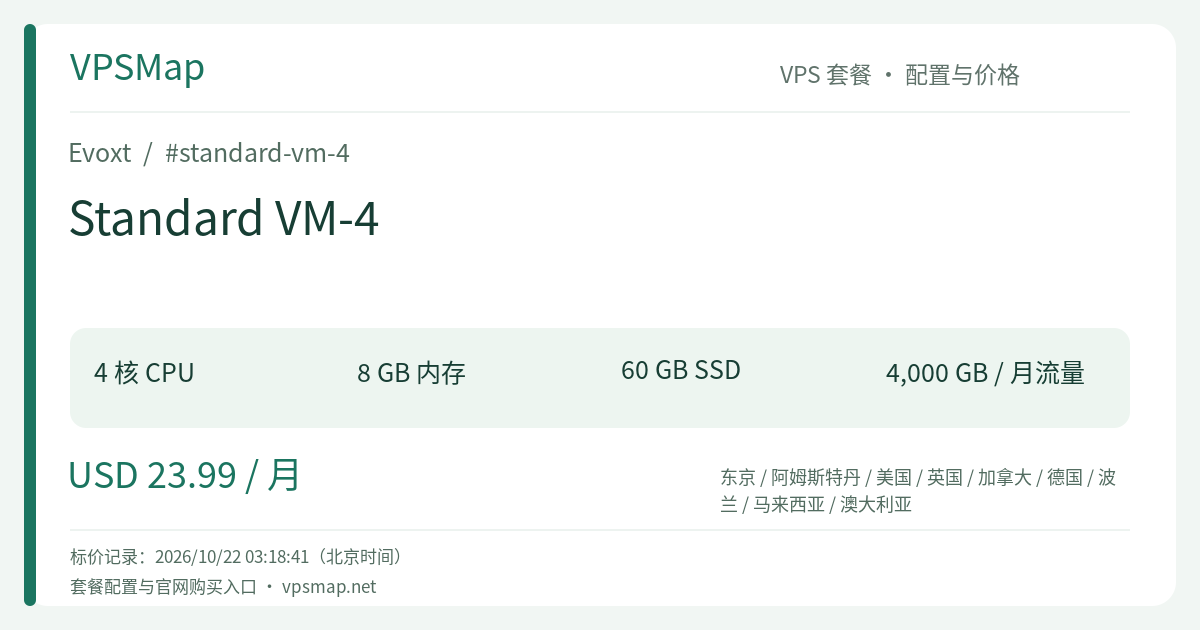
Evoxt Standard VM-4 (4 high-clock CPU cores / 8 GB RAM / 60 GB Storage / 4,000 GB Transfer on a 1 Gbps port / Free Weekly Offsite Backups at $23.99/month) is purpose-built to shoulder these comprehensive production burdens.
Specification & Architectural Strengths#
| Metric | Specification | Real-World Operational Impact |
|---|---|---|
| Compute Capacity | 4 vCPU (Up to 6.0 GHz Turbo Clock) | High-speed multi-threaded execution ensuring zero queue starvation |
| System Memory | 8,192 MB (8 GB) | Ample headroom eliminating OOM risks, supporting JVM heaps and Redis caches |
| Enterprise Storage | 60 GB Fast SSD/NVMe | Comfortable capacity for Docker layers, application logs, and database growth |
| Network Throughput | 1 Gbps Port / 4,000 GB Monthly Quota | 4 TB of high-speed transfer easily handling team syncs, backups, and heavy traffic |
| Disaster Recovery | Free Weekly Automatic Offsite Backups | Enterprise-grade offsite disaster recovery with rapid web-based rollbacks |
| Base Pricing | $23.99 / month | Flexible monthly to 3-year billing; seamless modular vertical scaling in-panel |
1. The Value of an 8 GB Memory Allocation#
An 8 GB footprint eliminates constant memory micro-management:
- Database Tier: Allocate 3 GB to 4 GB directly to MySQL/PostgreSQL buffer pools, caching your hot datasets directly in system memory to minimize physical disk I/O;
- Caching Layer: Dedicate 1 GB to Redis, sustaining massive active session records, background job queues, and transient key-value stores;
- Application Tier: Retain 3 GB+ of free physical memory to run 4 to 8 concurrent application instances (Go, Node.js, Python, or Java) while leaving adequate headroom for Linux kernel page cache operations.
2. 60 GB Storage: Room for Real Production Growth#
Compared to entry-tier 20 GB–30 GB disks, VM-4 doubles your storage to 60 GB. This expansion provides vital operational breathing room:
- Docker Layers and Build Caching: Continuous deployment workflows inevitably generate container image layers and untagged artifacts; 60 GB prevents build pipelines from stalling on disk-full errors;
- Local Staging Backups: Safeguards space to stage uncompressed database dumps locally before dispatching them to offsite repositories;
- Application Logging: Accommodates growing system and web logs safely between rotation cycles without risking unexpected read-only filesystem locks.
Core Production Scenarios#
Scenario 1: Self-Hosted DevOps Hub (GitLab / Gitea + CI/CD)#
For development teams requiring full sovereignty over their private codebases and automated pipelines:
- Run an Omnibus GitLab CE deployment without sacrificing responsiveness;
- Or pair Gitea with Drone CI / Woodpecker CI—the 4 high-clock cores compile dependencies and run automated test suites in parallel, slashing release turnaround times.
Scenario 2: Agency & Multi-Tenant Web Hosting#
If you host dozens of client properties via CyberPanel, cPanel, or HestiaCP:
- 4 high-clock cores isolate concurrent dynamic requests, ensuring traffic spikes on one client site do not degrade others;
- 8 GB RAM accommodates 10 to 20 separate PHP-FPM worker pools and OpenLiteSpeed cache modules;
- Leverage Evoxt's native Sub Accounts feature in the control panel to grant discrete, role-based access to developers, billing specialists, and support team members.
Scenario 3: Enterprise Internal Business Suites#
- Deploy Odoo with PostgreSQL to handle inventory, accounting, and CRM tasks for small-to-midsize businesses;
- Launch a self-hosted Nextcloud instance (available via Evoxt 1-Click Apps) backed by 4 TB of bandwidth for seamless team file synchronization;
- Host a dedicated Mattermost or Matrix communication hub for secure, end-to-end encrypted team messaging.
Long-Term Planning & Operational Guidance#
To maximize the reliability of your VM-4 deployment, consider these best practices:
- Leverage Integrated Backups: Take advantage of the free weekly offsite backup provided by Evoxt as a baseline disaster recovery measure. Complement it with daily local database snapshots exported to S3 storage for granular recovery points.
- Utilize Private Networking: If your architecture grows to multiple VMs, utilize Evoxt's free Private IP addresses. Internal inter-VM traffic does not consume your public monthly bandwidth, enabling cost-effective tiered architectures (e.g., dedicated web frontend and database backend).
- Evaluating Neighboring Tiers:
- If your application footprint remains lightweight (under 3 GB RAM utilized), consider starting on VM-3 ($14.99/mo) and performing an in-panel upgrade when scale demands;
- If your bottleneck is pure CPU concurrency (such as heavy continuous microservices) but 8 GB RAM remains sufficient, consider VM-6 ($29.99/mo), which doubles your compute power to 8 high-clock cores for just $6 more.
Tier Comparison: VM-3 vs. VM-4 vs. VM-6#
| Specification | Standard VM-3 | Standard VM-4 (This Plan) | Standard VM-6 |
|---|---|---|---|
| Monthly Rate | $14.99 | $23.99 | $29.99 |
| vCPU Cores | 4 Cores | 4 Cores | 8 Cores (Double Compute) |
| Memory | 4 GB | 8 GB (Double RAM) | 8 GB |
| Disk Space | 30 GB | 60 GB (Double Storage) | 60 GB |
| Bandwidth | 3,000 GB | 4,000 GB | 5,000 GB |
| Strategic Fit | Compute-heavy lean stacks | Enterprise software, GitLab & multi-site hosting | Massive concurrency & parallel worker engines |
Deployment Walkthrough#
Setting up your Standard VM-4 instance is swift and automated:
- Access the Console: Navigate to the Evoxt Customer Portal and log in.
- Select Datacenter Region: Choose your preferred Standard Region (Los Angeles, New York, London, Frankfurt, Amsterdam, Warsaw, Tokyo, Malaysia, or Sydney) depending on your primary geographic user base.
- Select VM-4: Choose VM-4 from the configuration list, verifying 4 vCPU, 8 GB RAM, 60 GB Storage, and 4,000 GB Transfer.
- Pick Operating System or 1-Click App: Select your preferred Linux base (Ubuntu 22.04/24.04 LTS, Debian 12, Rocky Linux) or 1-click deployments (Docker, GitLab, Nextcloud, CyberPanel, cPanel, etc.).
- Choose Billing Cycle & Pay: Select terms from monthly up to 3 years. Pay conveniently via credit card, PayPal, Bitcoin, or USDT (TRC20).
- Go Live in Minutes: Your virtual machine is provisioned within roughly 2.5 minutes. Configure firewall rules in the web console, set up automated cloning if needed, and connect instantly via SSH or web-based VNC.