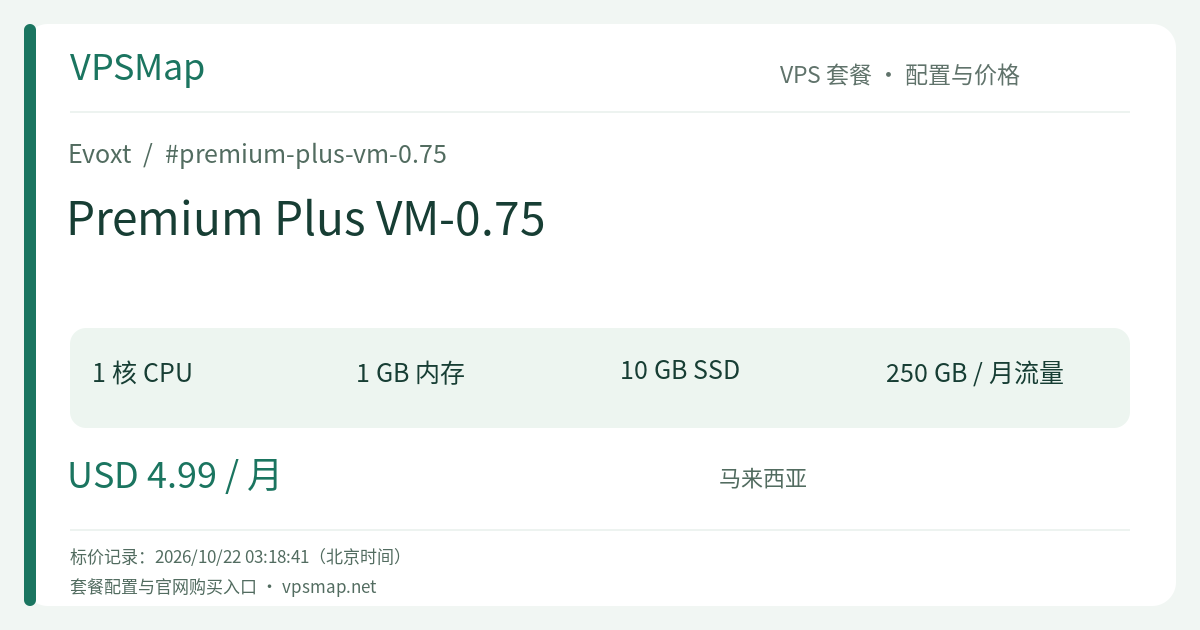
Evoxt Premium Plus VM-0.75 Review: The 1GB RAM Sweet-Spot Micro VPS in Malaysia for $4.99/mo
Updated
Between high-end enterprise servers and sub-dollar 'toy' VMs, webmasters and developers constantly seek a practical 'productivity sweet spot': enough memory to prevent Out-Of-Memory (OOM) crashes on modern workloads, a monthly cost no higher than a cup of coffee, and premium regional network routing. The Evoxt Premium Plus VM-0.75 is engineered to meet this exact sweet spot.
At just $4.99/month, you can deploy a 1-core high-frequency vCPU, 1GB RAM, 10GB SSD, and 250GB premium traffic instance situated in Kuala Lumpur, Malaysia. Compared to the ultra-constrained 512MB tier, this 1GB memory profile provides the headroom necessary to comfortably run modern Web stacks and lightweight microservices.
Detailed Hardware & Network Breakdown#
| Specification | Details |
|---|---|
| Processor | 1 vCPU (Up to 6.0 GHz Turbo Clock; legacy base 3.5 GHz+) |
| Memory | 1024 MB (1 GB) RAM |
| Storage | 10 GB SSD Storage |
| Monthly Transfer | 250 GB (1 Gbps Shared Port) |
| Network Zone | Premium Plus Network (Exclusive to: Malaysia Premium) |
| Integrated Perks | Free weekly automated offsite backups, Layer 3 Cloud Firewall, native IPv6 |
| Pricing | $4.99 / month (Billed monthly, quarterly, yearly up to 3 years) |
Why VM-0.75 is the Southeast Asian Sweet Spot#
1. 1GB RAM Crosses the 'Production Usability' Threshold#
Under 512MB environments, Linux administrators must micro-manage every process to prevent the kernel OOM-killer from terminating daemons. Bumping RAM to 1GB (1024MB) fundamentally broadens system flexibility:
- Smooth CMS Hosting: Run WordPress with OpenLiteSpeed/LiteSpeed Cache, Ghost, Typecho, or Astro backed by SQLite or tuned MariaDB without unexpected lockups.
- Stable Container Deployments: Run 2 to 3 lightweight Docker containers simultaneously—such as Vaultwarden, Uptime Kuma, and Shlink—without constantly checking memory thresholds.
- Modern Language Runtimes: Node.js, Python FastAPI, Go, and Rust services initialize cleanly and handle brief traffic surges without starving the OS.
2. Premium Plus Malaysian Routing (MyIX & Peering)#
Evoxt's Premium Plus designation is their highest network classification, designed specifically for the Malaysian region:
- Direct MyIX Connectivity: Peered directly into the Malaysia Internet Exchange, offering near-zero jitter and sub-10ms domestic latencies.
- Tier-1 & Giant Peering: Directly peered with Google and Cloudflare locally, ensuring ultra-fast asset fetches, CDN handshakes, and API communication.
- ASEAN Regional Reach: Kuala Lumpur acts as a strategic gateway into Singapore, Indonesia, Thailand, and Vietnam, delivering high-performance cross-border transit.
3. High-Clock Single-Core Execution & Free Disaster Recovery#
- With turbo clock speeds reaching up to 6.0 GHz, PHP request processing and database reads execute with snappy responsiveness.
- Free automated weekly offsite backups come standard. For personal websites and small production tools, this eliminates the headache of maintaining manual backup scripts and paying for separate offsite storage.
Prime Use Cases#
- Personal Blogs & Knowledge Bases (WordPress / Ghost / Hugo): Host a personal portfolio or technical blog targeted at regional or global readers. Using the 1-Click WordPress (LiteSpeed) installer, you get a fast-rendering, cached blog running smoothly on a budget.
- Self-Hosted Productivity Cloud (Lightweight Docker Stack):
Consolidate everyday self-hosted tools on a single reliable host:
- Vaultwarden: A lightweight, secure password manager;
- Uptime Kuma: A monitoring dashboard checking your websites and APIs;
- Alist: A unified multi-cloud file indexer. These three micro-containers comfortably live together inside 1GB of RAM, leaving around 400MB of headroom for system buffers.
- Localized E-Commerce & Campaign Landing Pages: Launch high-speed landing pages or promotional gateways for Southeast Asian customers. 250GB of high-grade monthly bandwidth is more than enough to handle tens of thousands of unique visitors.
- Lightweight Automation Daemons (n8n / Webhooks): Run automated RSS syndication, GitHub synchronization scripts, and notification webhooks around the clock.
Architecture Trade-offs & Maintenance Best Practices#
- Manage Docker Disk Usage on 10 GB Storage:
After the base Linux OS is installed, you will have roughly 7GB to 8GB of usable space. Pulling multiple container images can gradually fill up the drive. Add a monthly cron job to clean up unused build cache and dangling images:
# Clean dangling Docker images and build cache docker system prune -f - Separate Static Media Assets: The 250GB quota provides premium, low-latency transit. To protect your monthly bandwidth limit, offload high-resolution photos and video files to Cloudflare R2, AWS S3, or a CDN layer.
- Burst vs. Continuous Compute: The high-clock CPU is engineered to deliver snappy performance during intermittent web requests and script triggers. Sustained 24/7 full-throttle computing (such as continuous video rendering or mining) is not suited for shared virtual infrastructure.
Comparison with Adjacent Configurations#
- vs. Step-Down VM-0.5 (1 Core / 512MB RAM / 5GB Disk / 150GB Transfer at $3.49/mo): VM-0.5 is only $1.50/month cheaper. However, VM-0.75 awards you double the memory (1GB vs 512MB), double the storage (10GB vs 5GB), and an additional 100GB of bandwidth. For virtually any web-facing service or containerized stack, skipping half a cup of coffee to secure 1GB of memory is by far the smarter choice.
- vs. Step-Up VM-1 (1 Core / 2GB RAM / 20GB Disk / 300GB Transfer at $5.99/mo): For an extra $1.00/month, VM-1 upgrades you to 2GB RAM and 20GB disk. If you plan to install heavier hosting control panels (such as CyberPanel or HestiaCP) or deploy full MySQL 8.0 instances, VM-1 is an attractive option. But if you manage your stack via CLI and value extreme cost-efficiency, VM-0.75 remains the lean sweet spot.
How to Order and Deploy#
- Go to the Evoxt Official Console Deployment Portal and register or sign in.
- In the console overview, click Deploy a Cloud Virtual Machine.
- Select Datacenter Region: Under the Premium Plus Network tab, choose Malaysia (Premium).
- Select Plan: Click on VM-0.75 (1 Core, 1 GB RAM, 10 GB Storage, 250 GB Transfer).
- Choose Operating System or 1-Click App:
- For clean CLI environments, select Ubuntu 22.04 LTS or Debian 12.
- For instant blogging, choose WordPress (LiteSpeed) from the 1-Click Apps catalog.
- Choose Billing Term & Payment Method: Select monthly billing or choose longer cycles up to 3 years. Pay using credit/debit cards, PayPal, Bitcoin, Litecoin, Ethereum, or USDt Tron.
- Provisioning completes automatically in about 2.5 minutes. Once ready, access your server's public IP address, root credentials, and interactive web VNC console directly from your dashboard.