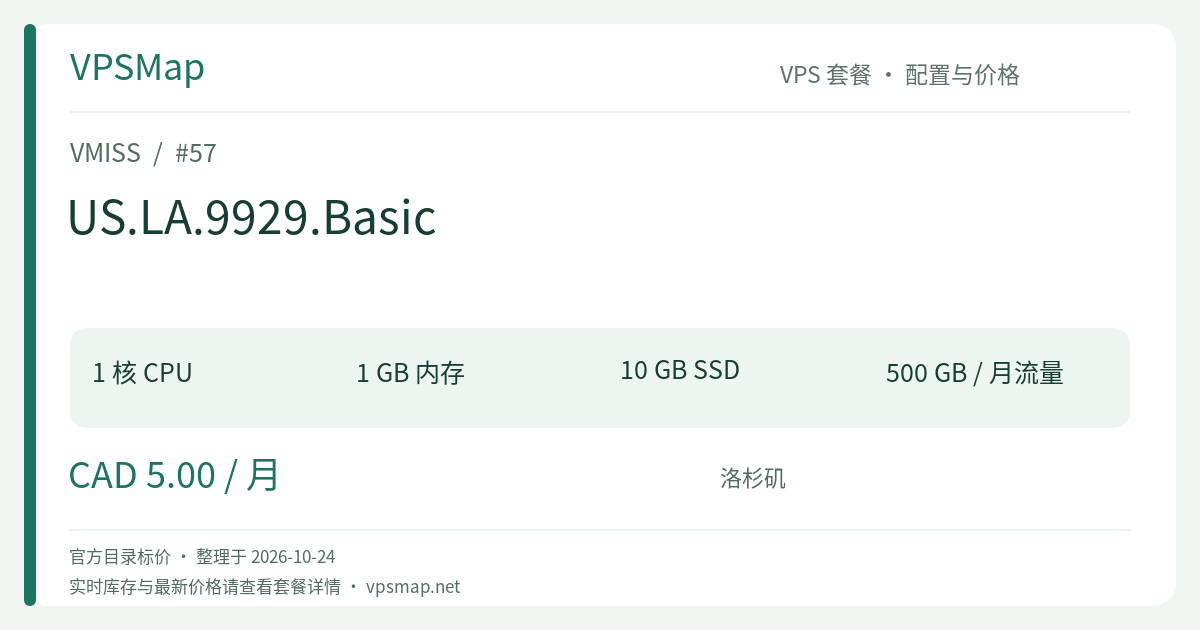
VMISS US.LA.9929.Basic Guide: An Ultra-Affordable CAD 5/Mo Lightweight VPS
Updated
Finding a reliable, low-commitment virtual private server located in a major North American interconnect hub is a staple requirement for developers, network engineers, and system admins running small-scale tasks. In VMISS's Los Angeles 9929 product lineup, the US.LA.9929.Basic plan commands attention largely through its approachable CAD 5 / month pricing.
For the rough equivalent of a cup of coffee, what does this server realistically offer? Where do its technical boundaries lie, and which workloads fit its parameters best? Here is an objective breakdown to guide your provisioning choice.
Specification & Resource Breakdown#
US.LA.9929.Basic adopts a disciplined, streamlined footprint engineered for light-footprint tasks:
| Specification Dimension | Official Specification |
|---|---|
| vCPU | 1 Core |
| Memory (RAM) | 1024 MB (1 GB) |
| Storage | 10 GB |
| Monthly Traffic | 500 GB |
| Port Speed | 200 Mbps |
| Pricing | CAD 5 / month |
| Location & Network | US - Los Angeles (Tag: 9929) |
A 200Mbps network port is notably generous for a CAD 5 monthly plan. The 500GB monthly traffic allowance yields roughly 16GB of outbound headroom daily—plenty for telemetry, API mediation, and lightweight website delivery that does not involve raw media streaming.
Where Does It Excel? Ideal Use Cases#
With 1GB of RAM and 10GB of storage, this instance is obviously not meant for heavy full-stack deployments. However, it delivers exceptional unit economics in several focused scenarios:
1. Reverse Proxies & API Relay Gateways#
Using an ultra-lightweight web server such as Caddy, Nginx, or HAProxy, this instance functions as an agile entry-point or proxy for overseas services:
- Reverse proxying simple HTTP/HTTPS traffic typically consumes between 30MB and 80MB of active memory;
- The 200Mbps burst port comfortably absorbs Webhook traffic, OAuth handshakes, and REST microservice calls;
- 500GB of bandwidth accommodates millions of plain JSON API exchanges.
2. Monitoring Probes & Automated Background Workers#
- Uptime Monitoring: Host lightweight monitors like Uptime Kuma to verify service status across global points of presence;
- Scheduled Cron Tasks: Run continuous Python, Node.js, or Go worker scripts handling external data polling or webhook notifications;
- Private DNS Filtering: Deploy DNS resolvers like AdGuard Home for personal or small-team query filtering.
3. Secure Bastion Jump-Hosts#
Maintain a persistent, low-overhead SSH jump host to access backend servers across different platforms. Hardened with key-based authentication and Fail2ban, its idle CPU and RAM footprint remains negligible.
Technical Trade-offs & Storage Discipline#
Operating comfortably on a CAD 5/month plan requires recognizing its boundaries:
- The 10GB Disk Constraint:
- A minimal base installation of Debian 12 or Ubuntu will occupy 2GB to 3.5GB out of the box, leaving approximately 6GB of usable space.
- Avoid running bloated Docker images without explicit storage management.
- Regularly clean package archives and dangling container data:
# Clean package manager cache
sudo apt-get clean && sudo apt-get autoremove -y
# Remove dangling Docker objects if containers are used
docker system prune -f
- Enabling Swap for 1GB RAM Stability:
- 1024MB leaves little margin for sudden memory spikes. It is strongly recommended to set up a 1GB Swap file immediately after provisioning to prevent the kernel OOM killer from abruptly terminating processes:
sudo fallocate -l 1G /swapfile
sudo chmod 600 /swapfile
sudo mkswap /swapfile
sudo swapon /swapfile
echo '/swapfile none swap sw 0 0' | sudo tee -a /etc/fstab
- 1024MB leaves little margin for sudden memory spikes. It is strongly recommended to set up a 1GB Swap file immediately after provisioning to prevent the kernel OOM killer from abruptly terminating processes:
9929 Tier Comparison: When Should You Step Up?#
Before ordering, reviewing the rest of the 9929 tier lineup will clarify whether your workload fits the Basic tier or demands the next step up:
| Plan Name | CPU / RAM | Storage | Bandwidth | Port Speed | Price (CAD) | Key Upgrade Driver |
|---|---|---|---|---|---|---|
| US.LA.9929.Basic | 1 Core / 1024MB | 10 GB | 500 GB | 200 Mbps | 5 / mo | Lowest cost entry point for simple tools and proxies |
| US.LA.9929.Core | 1 Core / 1024MB | 15 GB | 1000 GB | 200 Mbps | 10 / mo | 2x Bandwidth (1TB) & 5GB additional storage |
| US.LA.9929.Pro | 1 Core / 2048MB | 20 GB | 1500 GB | 300 Mbps | 16 / mo | Upgrades RAM to 2GB and port to 300Mbps |
| US.LA.9929.Elite | 2 Cores / 4096MB | 40 GB | 2500 GB | 500 Mbps | 30 / mo | Standard 2-core / 4GB server with 500Mbps port |
Summary Recommendation:
- If you anticipate your monthly bandwidth pushing past 500GB, or if 10GB of storage feels restrictive, allocating CAD 5 more per month for US.LA.9929.Core provides comfortable headroom.
- If your project is strictly a single-purpose daemon, proxy, or probe, the CAD 5/month Basic is one of the most accessible starting points on the market.
Deployment Link#
- Order this plan directly: VMISS US.LA.9929.Basic Official Order Link
- Check the 1TB alternative: US.LA.9929.Core