
USPS 1583 Completion Guide: Preparing Documents and Entering Your Address#
付款以后,先在电脑浏览器上登录 Anytime Mailbox 账户。 Home 能看到一个 Complete Verification button; click it to start verification. This step is currently unavailable in the mobile app.
这个步骤主要是填写并签署一份 USPS 1583 表格。这是美国邮政的代收邮件授权表,你租用的网点收到有效表格与公证文件后,才能正式为你代收信件。
Prepare Two Supporting Documents#
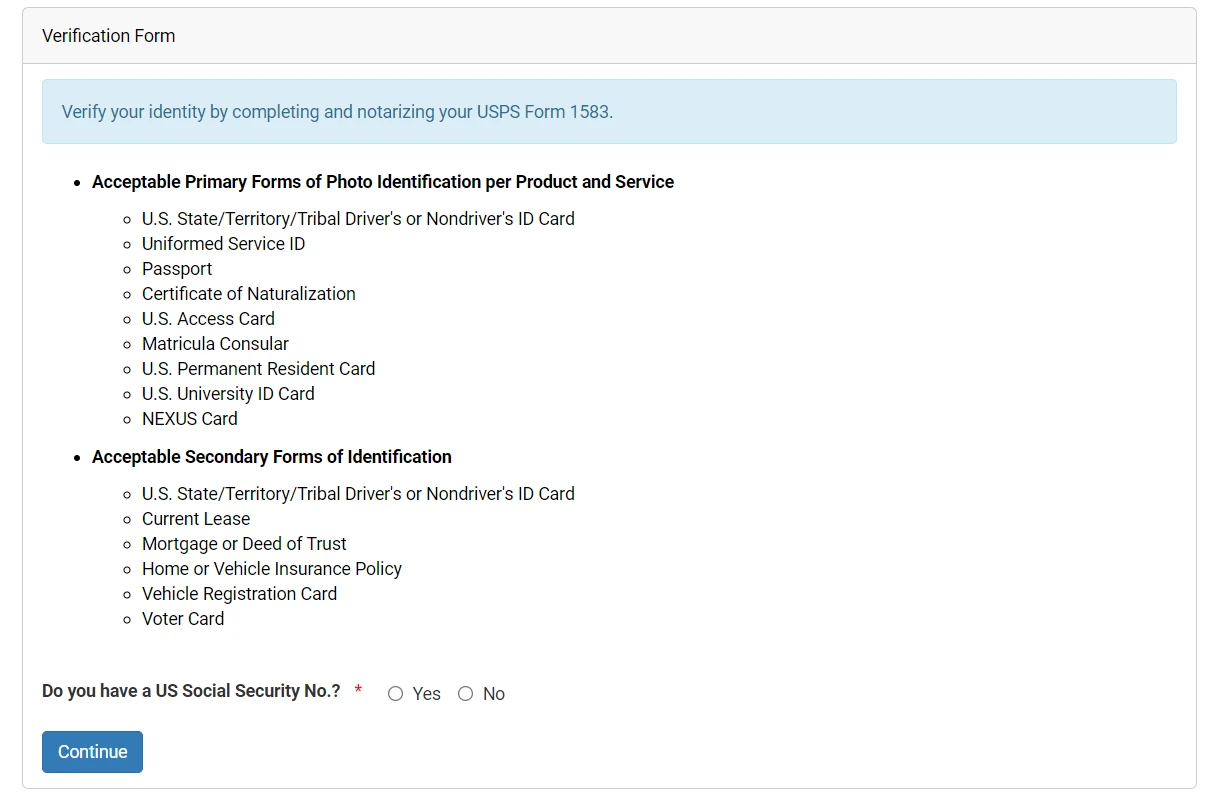
表格需要提供两份不同的有效材料:一份照片证件,一份地址证明。同一张证件不能同时用作这两项。
照片证件(对应表格第 8 栏):可以直接用护照。护照在 Validity 内即可。
Proof of Address (Section 9 of the Form): the document must show both your name and your actual current residential address. Accepted documents include:
- 现行有效的房屋租赁合同(租约)
- Home Insurance Policy
- Vehicle Registration or Auto Insurance Policy
Common utility bills, broadband bills, bank statements, and credit card statements are not accepted in Anytime Mailbox's review, so you do not need to prepare them.
Non-US documents can be used (see the official explanation at Anytime Mailbox International ID Guidelines). If your lease or insurance policy is available only in Chinese, email your mailbox location before notarization to clarify its requirements. Some locations accept the Chinese original directly; others require a certified translation. Follow the requirements of your chosen location.
Complete the Form and Verify the Three Addresses#
Open the verification page on a computer (for instructions, see Official Online Notarization Instructions)。
The page first asks whether you have a US Social Security No. Select Yes or No truthfully.
接着输入个人信息,系统会自动排版生成 2024 years6month版 USPS 1583 表格, so you do not need to download a blank PDF manually. The form primarily involves three different addresses:
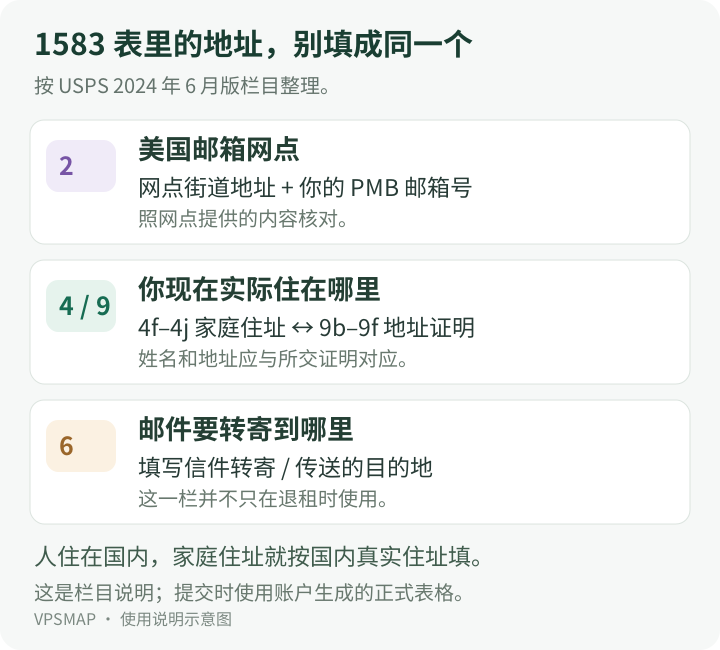
- 邮箱 Location address (第 2a–2e 栏):这是你租下的美国邮箱地址,包含网点街道、城市、州和分配给你的 PMB 邮箱编号。这部分由系统自动填入,核对无误即可。
- 你的真实居住地址(第 4f–4j 栏与第 9b–9f 栏):填写你现在实际生活的物理住址。在国内居住就用拼音填写国内住址,国家选 China。第 9 栏填写的地址必须与第 4 栏完全一致,并且能跟你上传的地址证明互相印证。
- Forwarding Destination Address (Section 6): Where mail should go when transferred or forwarded elsewhere. This applies both to routinely forwarding mail back to China and to redirecting it after ending the rental. Enter a truthful address in China where you can reliably receive mail.
Important: address-matching results in the location list, including DPV delivery matching, indicate only how the queried address matches postal-system records. They do not establish residential status or actual residence, nor do they guarantee acceptance by banks or other institutions. Residential classification, mail-receiving agency (CMRA) status, and delivery matching must be considered separately. A street-address-only lookup also does not verify a specific mailbox number. Matching results in the location list do not change the requirements for entering your actual residential address and mailbox address on Form 1583: for the location address in Section 2, carefully follow the suite or PMB format provided by the official website and enter the mailbox number actually assigned to you after renting it; do not invent one. Sections 4 and 9 must also truthfully state your current actual physical residential address and match your uploaded proof of address exactly.
如果是个人租用,每一位年满 18 岁的共同收件人都需要单独完成一份 1583 表格。只有租用邮箱用于公司业务时,才需要额外填写第 7 栏的 Enterprise 信息。
第 13a 栏的申请人签名留到线上公证时在公证员指引下签署。
Complete Online Notarization#
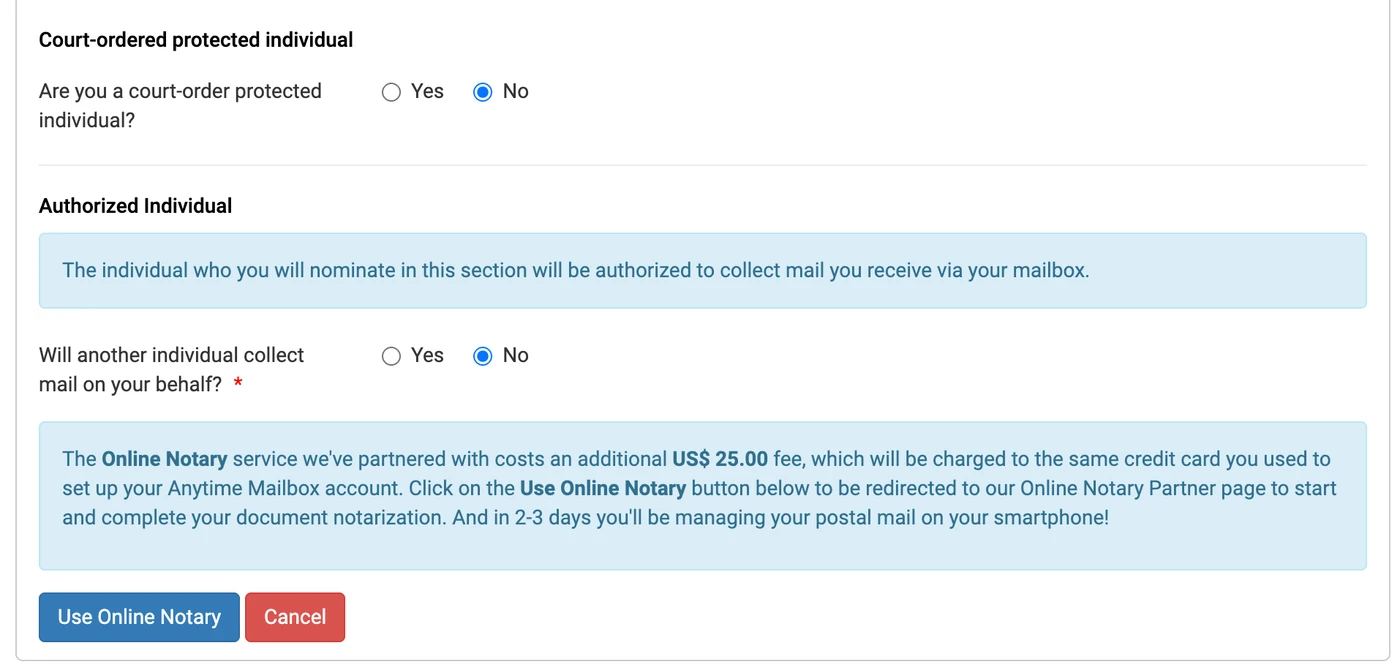
After confirming all information on the page, click the following button below: Use Online Notary 按钮,系统会跳转到合作的线上公证平台(例如 OneNotary Partner Channel)。
开始视频前,先确认好以下几件事:
- Use a computer with a camera, microphone, and stable internet connection;
- Have the Originals of the Two Documents You Entered Ready (Your Physical Passport and Original Lease or Insurance Policy);
- Have a credit card that supports foreign-currency payments ready. The notarization fee is clearly displayed at checkout; use the current amount shown there.
Once the video call connects, the notary verifies your identity and asks you to show your original passport and proof of address on camera. After verification, the notary guides you through electronically signing section 13a, then signs and stamps the second page of the form. Follow the notary's instructions when signing.
查看网点审核进度#
公证视频结束后,公证平台会自动把盖好章的文件传回系统。页面通常提供下载链接,可以把这份带公章的 PDF 存一份在本地电脑上备用。
公证员的作用是确认签字为你本人。表格是否合格以及邮箱能否正式开通,由你所租用的具体邮箱网点进行人工审核。
视频结束后回到 Anytime Mailbox 官网登录后台:
- Check the mailbox status on the Dashboard home page. Once it shows Approved, the mailbox is ready to use.
- If the status has not changed after a few days, check your registered email and dashboard messages. If staff find glare, illegible text, or a need for translated documents, they will request additional uploads in the dashboard. Resubmit the requested materials as instructed.
If you are still choosing a location, you can use Anytime Mailbox 网点收录目录 or iPostal1 网点收录目录 Check each location's records and specifications, or visit Anytime Mailbox's Official Location Directory browse. After mailbox activation, for viewing mail, opening and scanning, and forwarding, continue with Anytime Mailbox Guides 。